How to Make a Custom Etsy Banner on a Mac
To create an Etsy banner you need a design tool that supports exact pixel dimensions. The minimum size for a Big Banner is 1200 × 300 pixels, though designing larger than the minimum produces sharper results on high-density Retina screens. Building a custom design from scratch, rather than relying on overused online templates, ensures your storefront stands out, builds immediate brand trust, and looks sharp on both desktop and mobile.
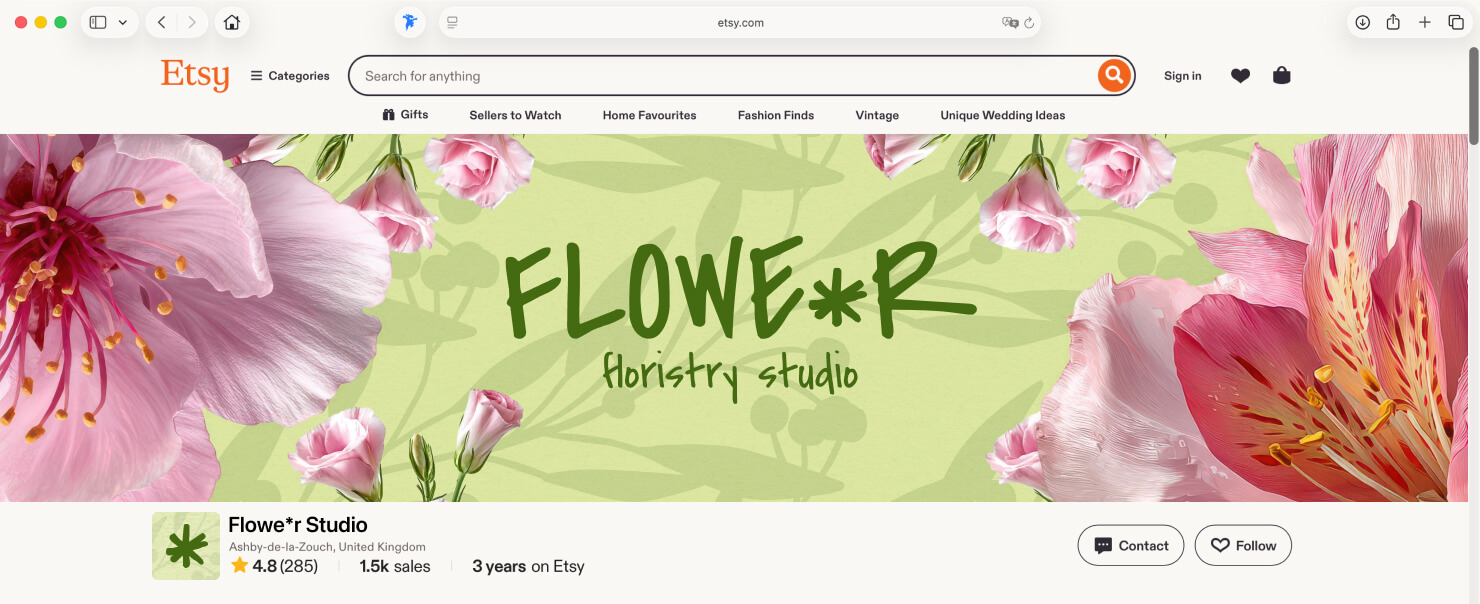
Etsy Banner Size Requirements for 2026 (Pixel-Perfect Guide)
Uploading the wrong size is the fastest way to get a blurry, cropped banner. Etsy does not resize your image to fit the storefront; it scales whatever you upload to fill the space. Get the dimensions wrong, and your banner looks unprofessional before a shopper reads your shop name.
| Banner Type | Minimum Size | Recommended Size |
|---|---|---|
| Big Banner | 1200 × 300px | 1600 × 400px |
| Mini Banner | 1200 × 160px | 1600 × 213px |
Big Banner vs. Mini Banner: Which Should You Choose?
The Big Banner runs the full width of your Etsy storefront on desktop browsers. It gives you room to display product photography, seasonal messaging, and brand colors at a glance. The Mini Banner shows up above your listings as a slimmer strip; packing meaningful visual information into it is difficult, and most sellers who use it lean on text-only layouts.
For most North American sellers, the Big Banner is the stronger choice. Shoppers arrive from Pinterest, Instagram, and Google Shopping ads already primed visually. A bold, image-rich banner tells them in under two seconds they landed in the right place.
The “Retina Display” Rule
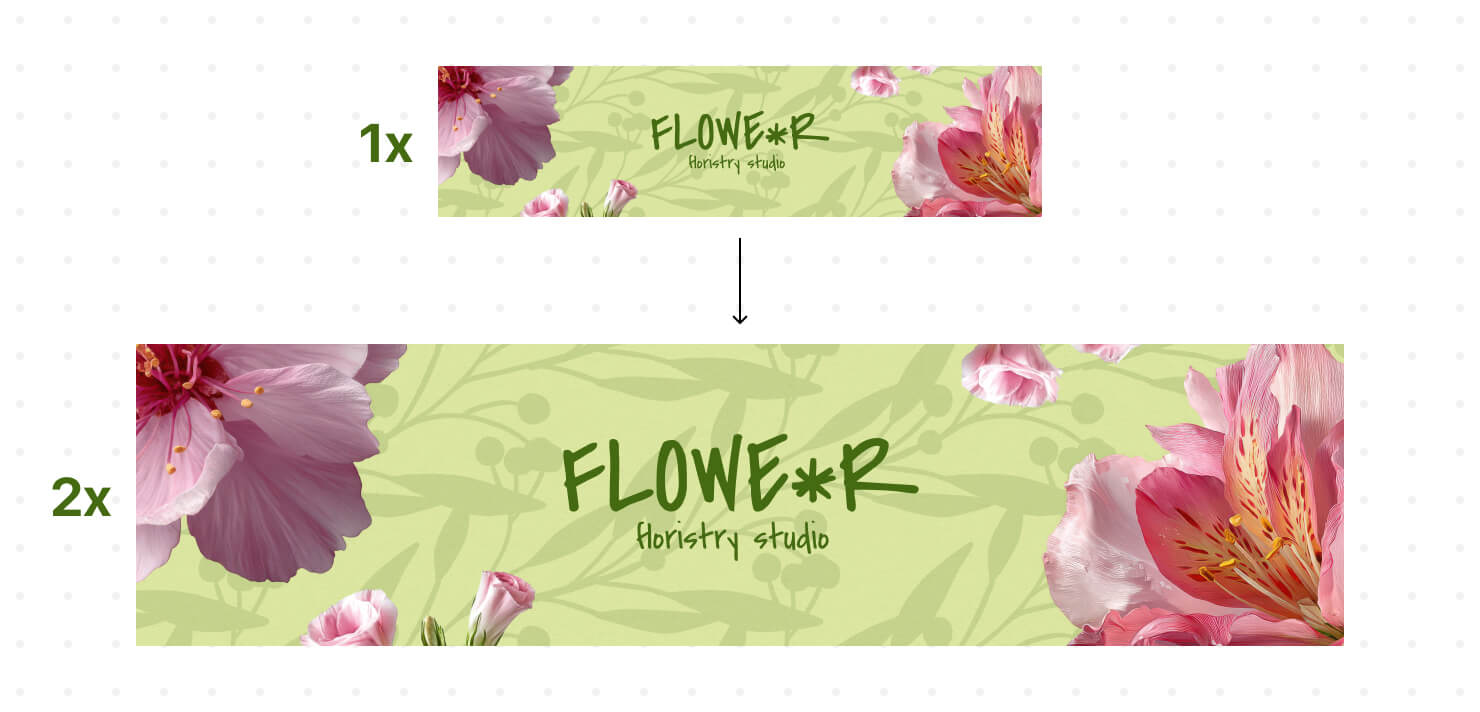
MacBook Pros and current iPhone models use Retina screens, which pack twice as many pixels into the same physical space. A banner uploaded at exactly the minimum size gets scaled up on those devices, and the softness is visible on any high-density display.
The practical fix is to design your canvas significantly larger than the minimum, at least double the required dimensions, so the image contains enough pixel data to stay crisp on Retina hardware. Upload it once, and the banner holds up on every device, from a 27-inch iMac to a current iPhone screen.
Mobile Safe Zones
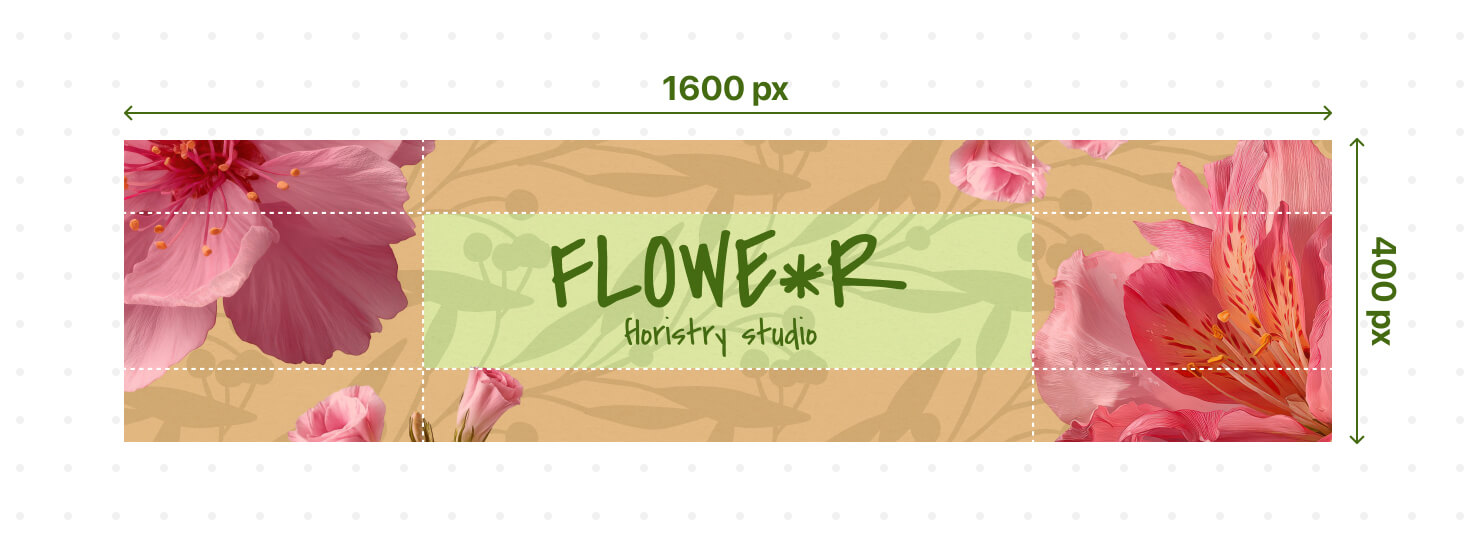
Etsy crops the Big Banner differently on mobile. The platform centers the banner horizontally and trims the left and right edges. Text or logos placed near the sides disappear on phones and tablets.
Keep all critical elements, including your shop name, tagline, and any call-to-action, within the center 50% of the canvas. Treat the outer 25% on each side as decoration-only territory.
Why Custom Banner Designs Beat Pre-Made Templates
Designing your banner from scratch gives you the freedom to create a unique storefront that truly reflects your business.
Total Control Over Brand Identity (Your Exact Hex Codes and Premium Fonts)
Templates force you to compromise. You swap the placeholder photo with your own product image but keep the template’s teal accent color because changing it breaks the layout. You use the built-in font because uploading your licensed typeface is a paid feature. Every compromise pushes your banner further from your actual brand.
A custom design starts with your brand kit. You type in your hex codes. You install your fonts locally and use them at any weight. If your packaging uses Freight Display Pro in charcoal #2C2C2C, your banner can too, without any workaround.
Better Conversion Rates
Etsy shoppers fall into distinct buying niches, and each carries specific visual expectations. A Midwestern farmhouse decor buyer responds to warm neutrals and clean serif typography. A Pacific Northwest buyer shopping for sustainable goods expects earthy tones, textured photography, and understated layouts. A New York City buyer hunting for statement jewelry wants high-contrast product shots and minimal copy.
A custom banner lets you design for your specific buyer. That alignment between the shopper’s expectation and your storefront aesthetic directly drives the Add to Cart decision.
The Best Etsy Banner Maker for Mac (No Subscriptions Required)
Designing a professional Etsy banner shouldn’t mean paying expensive monthly fees or struggling with complicated software.
Native macOS Performance vs. Internet Dependent Browser Apps
Browser-based design tools run inside a browser tab and therefore have fewer resources available than native desktop applications. On older Macs with limited RAM, this can lead to frustrating slowdowns, especially when working with large product photos or performing a series of undo operations.
A native Mac design app runs directly on macOS, taking full advantage of the Metal graphics framework and Apple’s Core Image pipeline. The result is smooth canvas navigation, responsive editing, and near-instant handling of high-resolution product photos. Placing and scaling high-resolution product photography, and undoing changes feels effortless, so you can stay focused on creating rather than waiting for the software to respond.
Design Anywhere Without Wi-Fi
Browser tools save your work to their servers. No or poor internet connection means no design session. That matters when you work from a coffee shop with spotty Wi-Fi, travel to a craft fair, or sit in a hotel room the night before the launch and realize the banner needs updating.
Swift Publisher can store files on your Mac, or in iCloud, the choice is yours. Open your design file, make changes, export a new banner, and upload it from your phone’s hotspot in under three minutes.
One-Time Purchase vs. Subscription Fatigue
Canva Pro costs US$120 per year. Adobe Express costs US$100 per year. Neither tool was built specifically for Etsy sellers. You pay monthly whether or not you are in a design sprint, and canceling means losing access to every cloud-stored file you created.
Swift Publisher with a one-time US$20 purchase works differently. Pay once, own the software, use it for years. Every banner you design next season comes at no extra cost.
How to Create an Etsy Shop Banner From Scratch (Step-by-Step Guide for Swift Publisher)
Set Up the Exact Page Size Dimensions
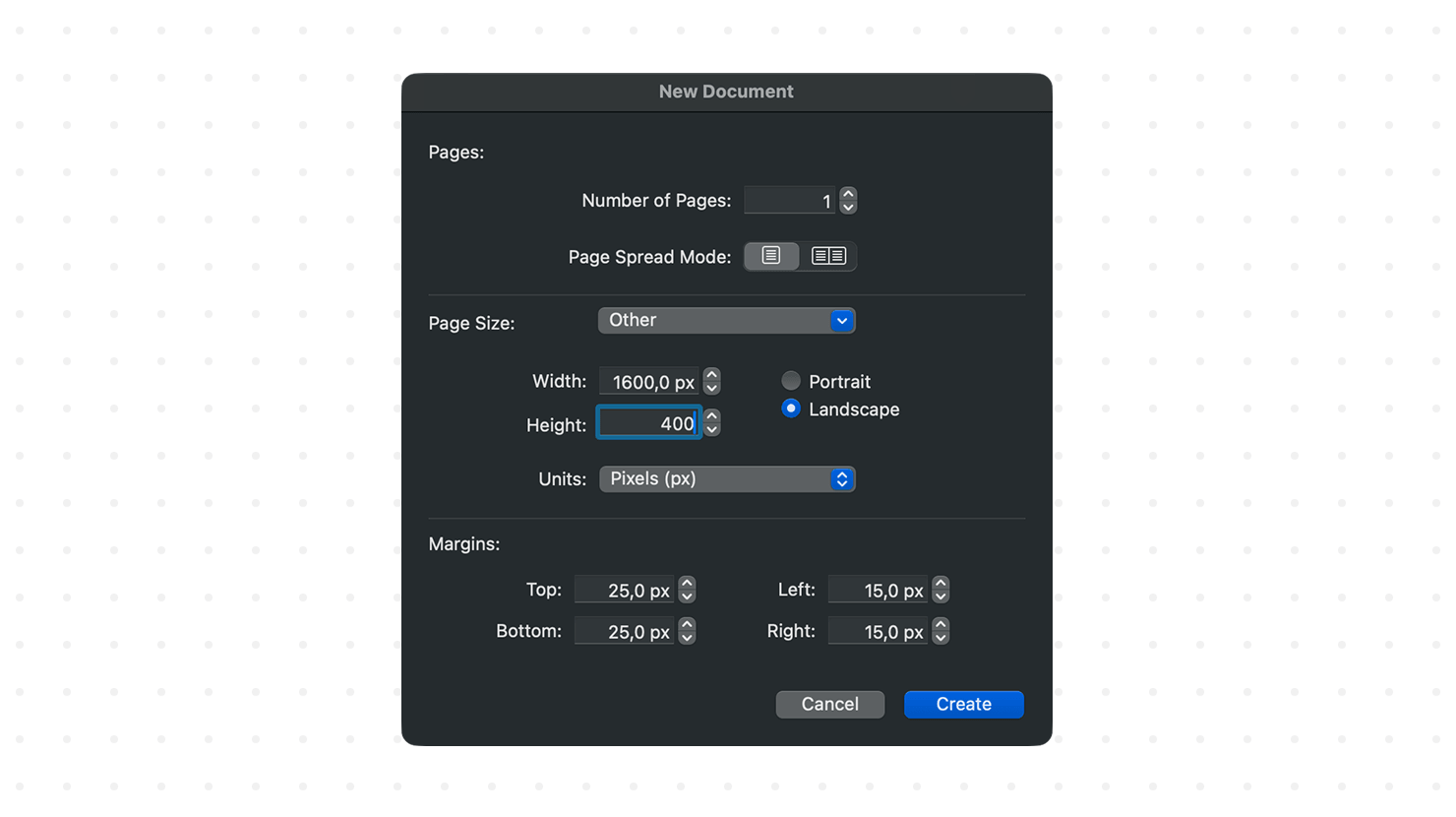
Create a new document. Set the units to Pixels, choose Landscape orientation, then enter a width of 1200px and a height of 400px. In Swift Publisher, you can only rename a custom document when you save it. Therefore, immediately save your new file and name it with the date and version (such as shop-banner-summer2026-v1), so you can easily find and iterate on it later. Keep the background layer unlocked from the start so you can change the background color without creating an extra layer.
Drag and Drop Your Image
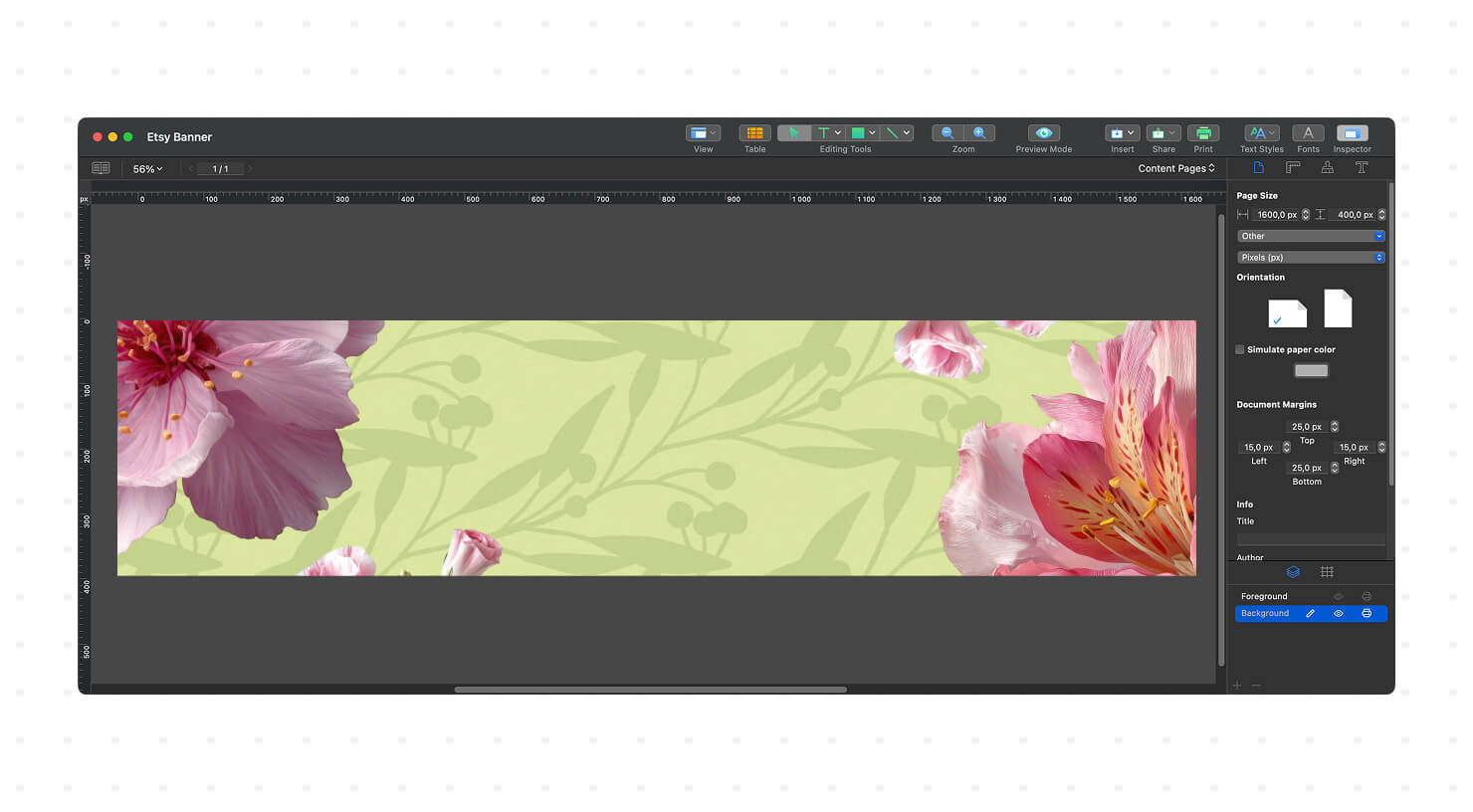
Pull your strongest product or lifestyle image from Apple Photos directly onto the canvas. On a Mac, you can simply drag a photo from the Photos sidebar and drop it into your design file without exporting it first. For many successful Etsy shops, a single, high-quality photograph is all they need for their banner. Resize and position the image so it beautifully fills the entire 1200 × 300px space. If you do plan to add your shop name or text over the picture later, just make sure the background isn’t too busy or add a subtle dark or light overlay to keep the text readable.
Add High-Converting Typography and Brand Colors
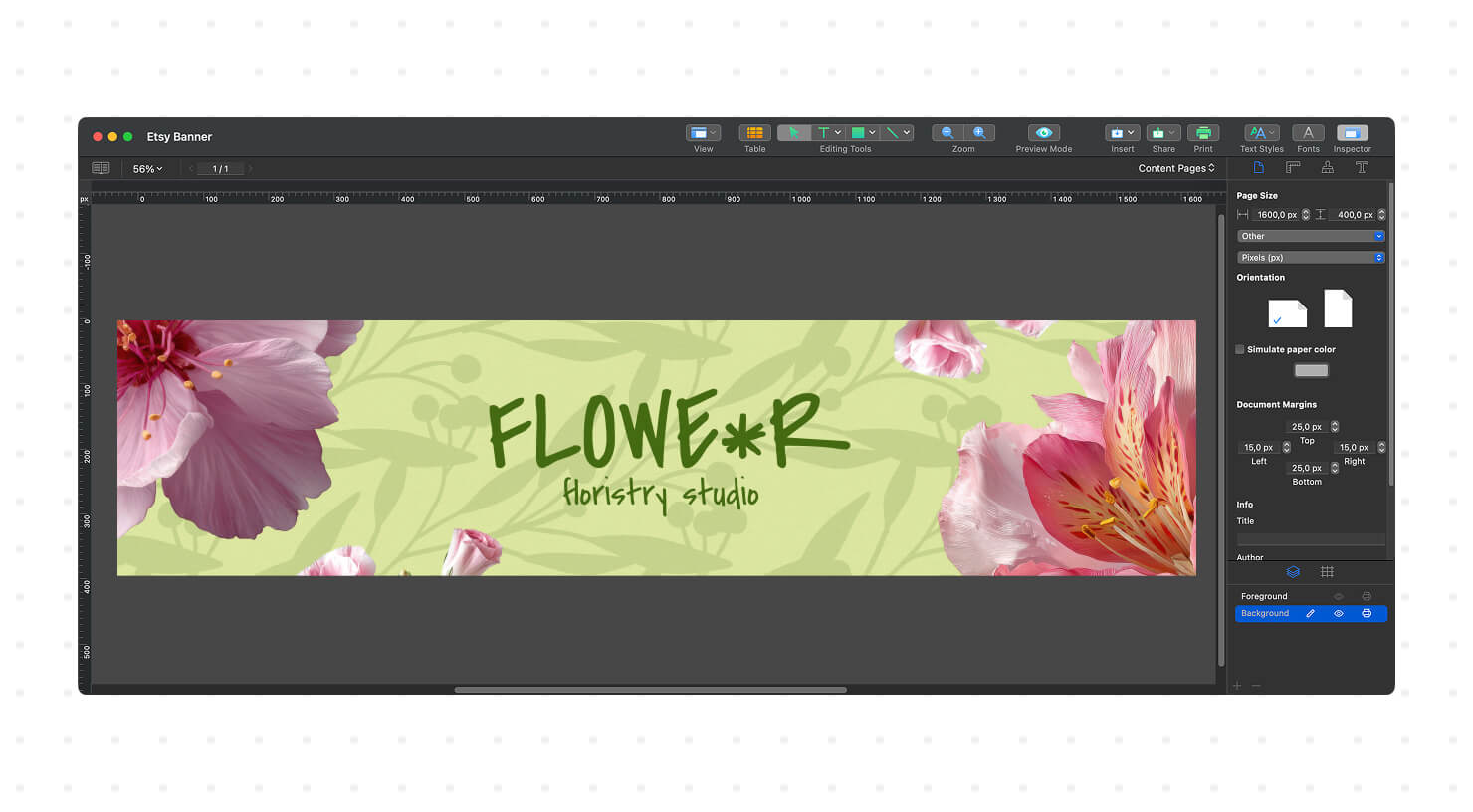
Set your shop name in your primary typeface. For most banners at a 1200px width, 32 to 48pt works well. Add a short tagline or category descriptor in a lighter weight directly below. Make sure the text has enough contrast against the background and is easy to read on different devices; low contrast fails on mobile screens in direct sunlight. Choose colors that match your brand and use them consistently throughout the banner. If you already have brand HEX values, use them to keep your branding consistent.
Highlight Your Shop’s Best Features
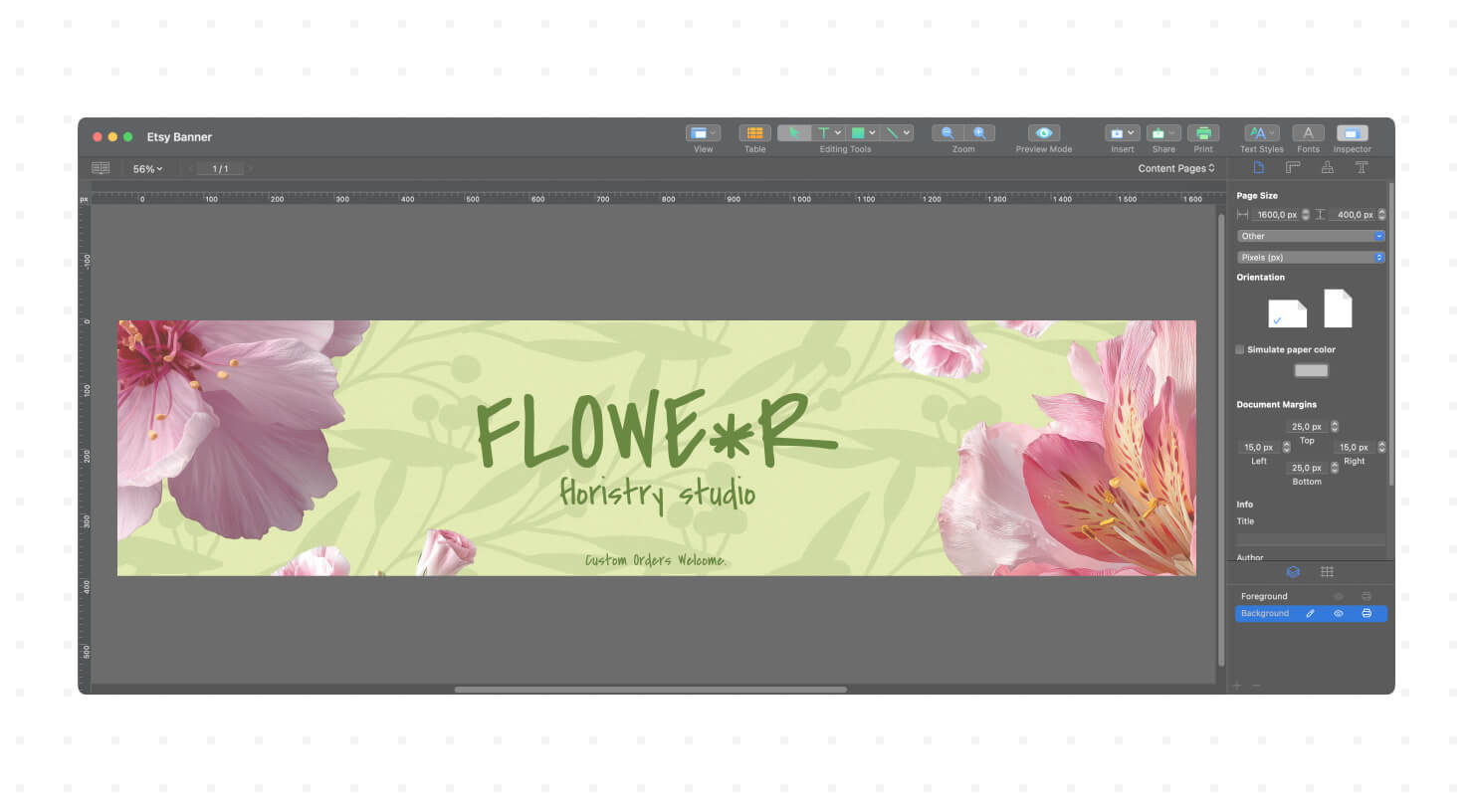
Since Etsy banners aren’t clickable, instead of a traditional call-to-action, add a short marketing message about your shop’s advantages. Place this text in a clear, uncluttered area of the banner, such as the bottom left or right corner. Keep it to six words or fewer, for example: “Free US Shipping,” “New Fall Collection,” or “Custom Orders Welcome.” To make this message stand out from the background photos, you can place it inside a simple colored shape, like a rectangle or a rounded pill.
Export as a High-Resolution PNG or JPEG
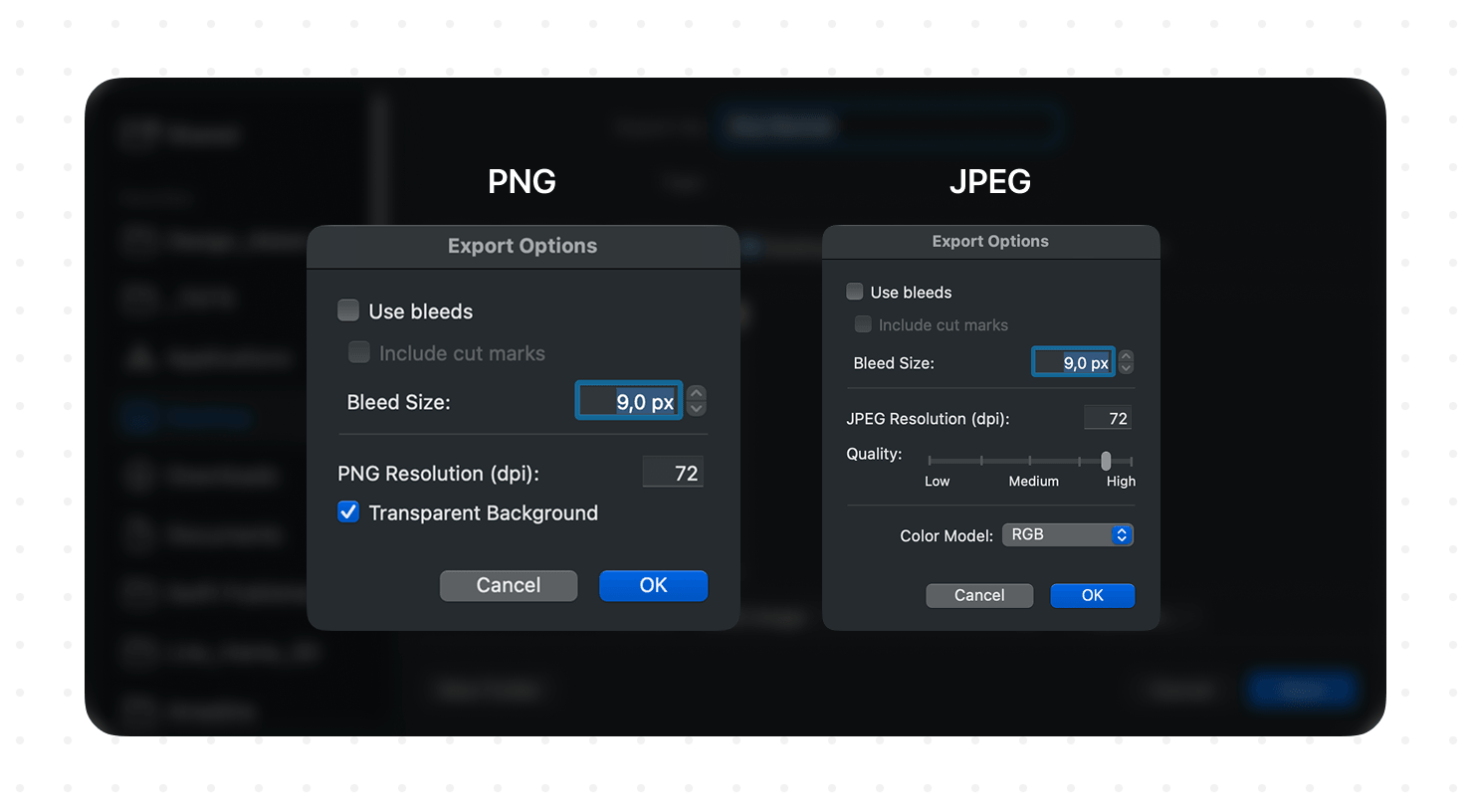
Export as PNG if your banner contains text, logos, or flat color areas. PNG compresses without sacrificing sharpness on clean edges. Export as JPEG if your banner is almost entirely photography with minimal text, keeping quality at 90% or higher. Check the file size before uploading. Etsy accepts files up to 10 MB, and a 1200 × 300px PNG at full quality will comfortably stay well under this limit.
3 Banner Design Mistakes That Cost You Sales
Even the most beautiful products can get overlooked if your shop banner has a few common design flaws.
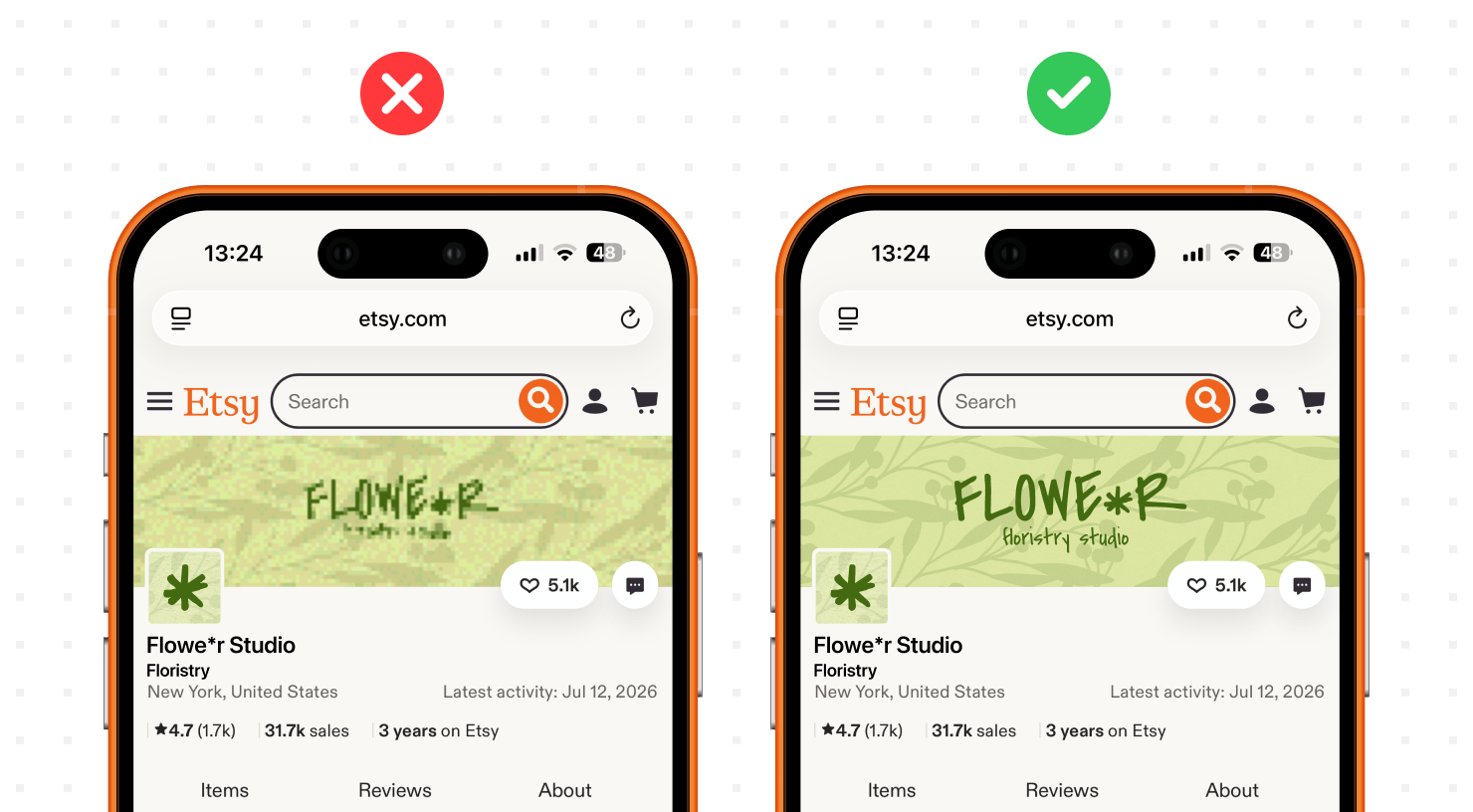
Using Low-Resolution Images That Blur on iPhone Screens
Pulling a product photo from your Etsy listing thumbnail is a common mistake. Listing thumbnails export at 570 × 570px, which lacks the data to fill a 1200-pixel-wide canvas without visible stretching. On a high-resolution phone screen, the result looks noticeably soft. Always use the original, uncompressed files from your camera or phone. A photo shot on an iPhone 14 or newer in HEIC format contains more than enough resolution. Export it as a high-quality JPEG before importing it into your design file.
Cluttering the Canvas (Why White Space Is Crucial)
Too many elements compete for attention and the shopper’s eye settles on nothing. A banner that stacks a product grid, three text boxes, a logo, a sale badge, and a decorative border asks the viewer to make six decisions at once. They process none of them. Give each element room. One hero image, one shop name, one tagline, one call-to-action. White space is not wasted space; it directs the eye toward what you want the shopper to read first. Remove everything that does not move the shopper toward clicking “Follow” or scrolling to your listings.
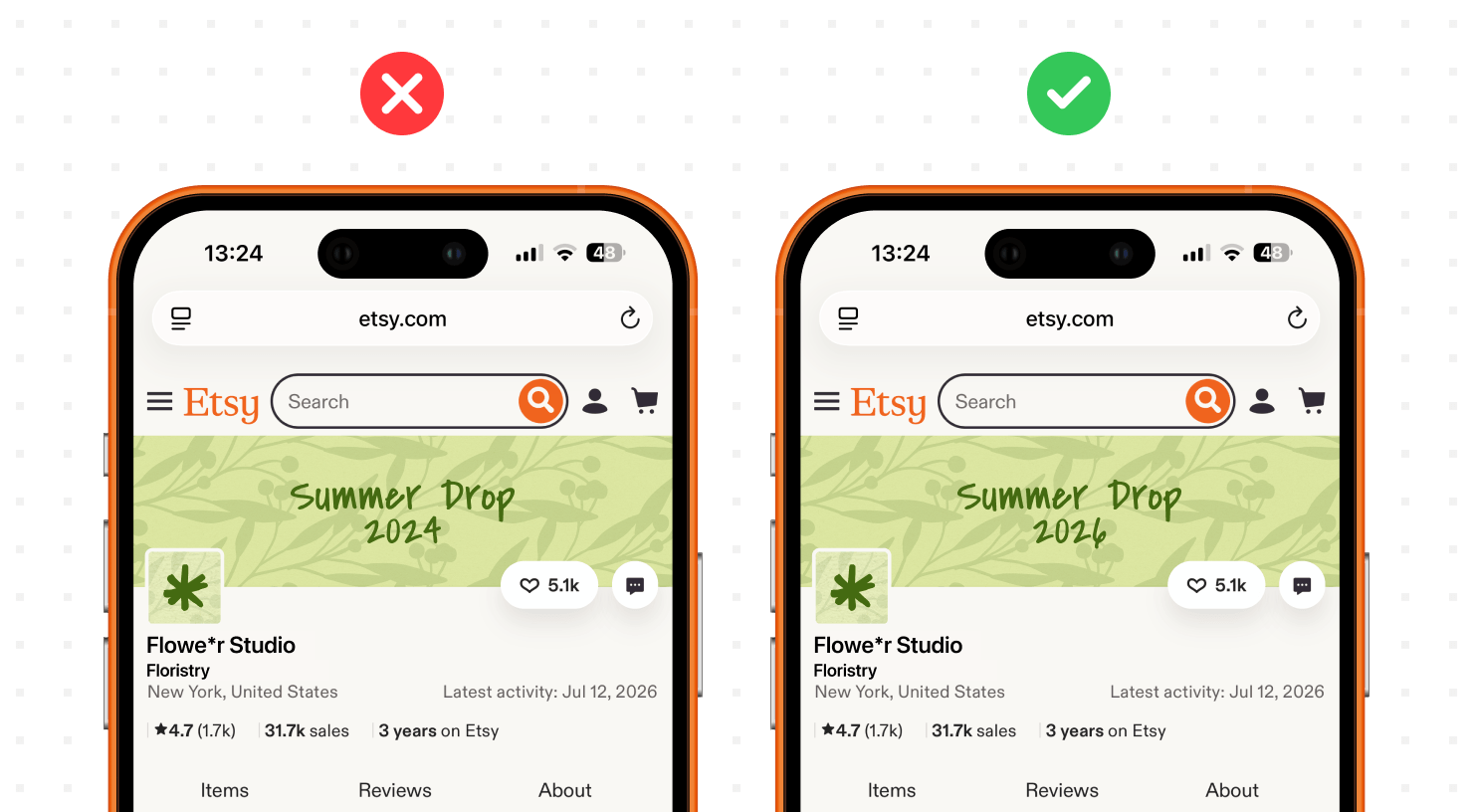
Forgetting to Update for Seasonal Promos
A banner showing “Holiday Collection 2024” in March 2026 tells shoppers you are not paying attention to your store. Stale banners reduce purchase confidence, particularly for first-time buyers deciding whether you are a reliable seller. Build seasonal variants into your workflow. Keep the base layer structure and swap out the background image, call-to-action text, and accent color for each major selling window: Valentine’s Day, Spring Launch, Summer Sale, Back to School, Black Friday, and Holiday. Six updates per year take about 30 minutes each when you start from your own saved template file.
Frequently Asked Questions (FAQs)
What is the best file format for an Etsy banner?
PNG is the best format for most Etsy banners. It preserves sharp edges on text and logos without compression artifacts. Use JPEG only for banners that consist almost entirely of photography, and keep the quality setting at 90% or above to avoid visible compression.
Why does my Etsy banner look blurry after uploading?
A blurry banner almost always means the source file resolution was too low. Etsy displays Big Banners at 1200 × 300px. Uploading a file smaller than this forces the platform to scale it up, which softens the image. Make sure your design canvas is set to exactly 1200 × 300px, export it at a high quality, and re-upload.
Can I use an animated GIF for my Etsy shop banner?
No. Etsy does not support animated GIFs for shop banners. The platform accepts JPEG and PNG files only. If you want motion on your storefront, the Etsy shop video section supports video uploads and plays as a loop on your store’s main page.
Do I really need an Etsy Plus subscription to have a good banner?
No. The Big Banner feature is available on the free Etsy seller plan. Etsy Plus adds options like featured listing slots and advanced shop customization, but banner access is not locked behind a paid subscription.
How often should I update my store’s banner?
Update your banner at least four times per year, aligned with your biggest selling seasons. Shops in gift-heavy categories, such as jewelry, home decor, or stationery, benefit from six to eight updates per year to reflect seasonal inventory and active promotions. A current banner also signals to Etsy’s algorithm that your store is active, which can help your listings rank higher in search results.