
Exporting and Printing
Exporting Documents
Supported File Formats
You can export your document to the PDF, PNG, TIFF and JPEG formats. PDF lets you export vector graphics that can be scaled without quality loss. PNG and JPEG are frequently used for the Web. PDF can be used to send your design to a print shop.
Export Your Design
To export a document:
- Select the main menu
 > Share > Export to open the Export panel.
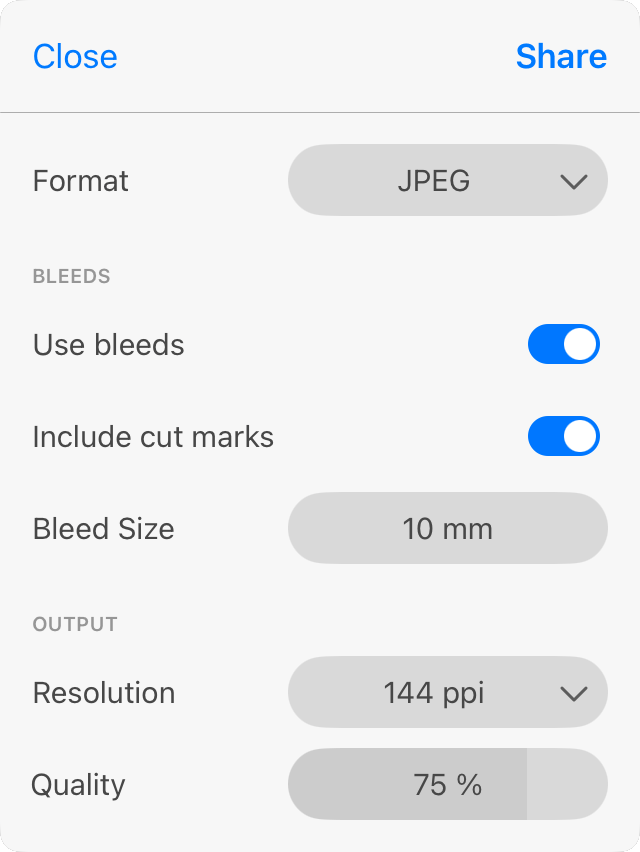
- Select a file format at the top.
- Enable and set up bleeds if they are needed.
- Set the Resolution.
- Set up the rest of the export settings. They are explained in the Export Panel section.
- Tap the Share button and choose what to do with the created file in order to complete exporting.