
Workspace and App Interface
The Main Menu
In order to bring up the main menu tap its icon  near the upper left corner of the main window.
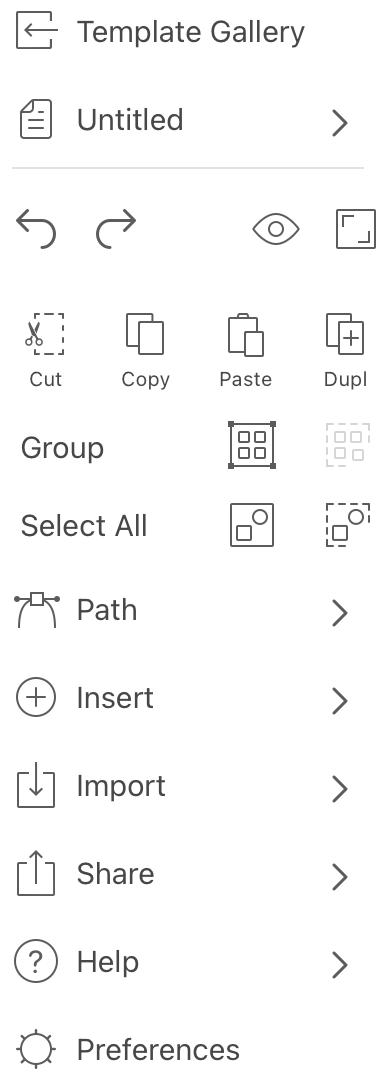
The first menu item opens the Template Gallery. The Gallery gives you access to document templates,and to documents saved recently.
File
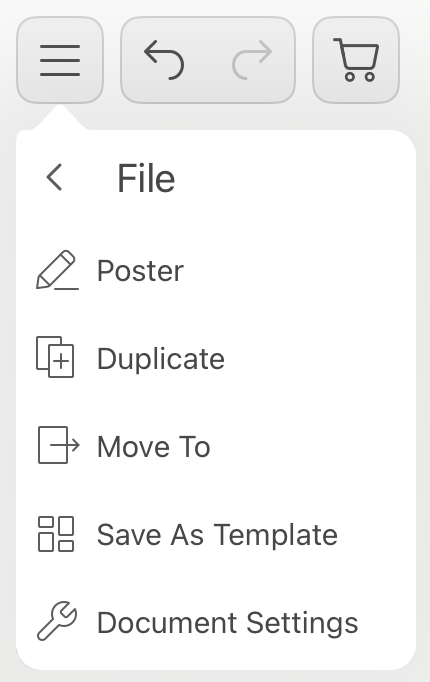
The second menu item displays the name of the currently open document. Tapping it opens the File commands:
- Edit the file name.
- Duplicate: Duplicate the document file.
- Move To: Move the document file to another folder.
- Save As Template: Save the document as a template.
- Document Setup: Open the Document panel.
Edit Document
First row of buttons:
- Undo: Reverse the last operation that you performed.
- Redo: Reverse the last Undo operation.
- Preview Mode: displays your document as it will be exported or printed. All non-printable objects will become invisible.
- Hide Interface: Hide all of the tools, panels and buttons except for one. To restore the normal interface, tap on
 again. If a keyboard is connected to your device, you can also use the Tab key.
Second row of buttons:
- Cut: Cut selected object(s) to the Clipboard.
- Copy: Copy selected object(s) to the Clipboard.
- Paste: Paste the contents of the Clipboard into the document. A pasted object can appear either above all of the objects in the active layer or above a currently selected object depending on the Draw/insert above the selection option.
- Duplicate: Duplicate selected object(s).
Group
- Group: Group the selected objects.
- Ungroup: Ungroup the selected group.
Select All
- Select all objects in all of the layers on the current page.
- Deselect all of the selected objects.
Path
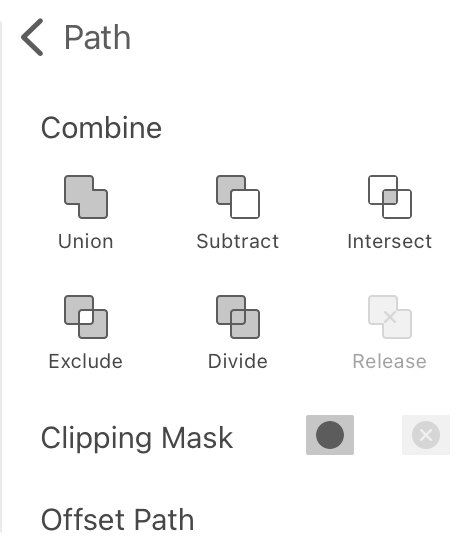
- Combine: The Boolean and Divide operations on selected shapes.
- Clipping Mask: Apply or Release a clipping mask.
- Offset Path: Create an offset path.
Insert
Commands in the Insert submenu add dynamic text fields to your document.
- Contact Field: Insert a field containing contact information such as name or phone number.
- Page Number: Insert the page number field.
- Date and Time: Insert the current date and time.
Import
- Photos: Import a picture from Photos to the current document.
- File: Import an image from a graphic file to the current document.
- Camera: Take a picture using the camera and import that picture to the current document.
Share
- Export: Export the current document as a graphic file.
- Print: Print the current document.
Help
- View Gestures: Show gestures with their function described.
- Help: Open the online documentation.
- Contact Us: Send your feedback to the developer.
- About: Find out the version of Swift Publisher on your device. Get quick access to the app website and related social media.
- Store: Bring up the online store.
Preferences
The Preferences menu item opens the Preferences dialog.