Hallmark Card Studio for Mac vs. Swift Publisher
Hallmark Card Studio and Swift Publisher are two of the most popular options on the market for creating cards on a Mac. This article will tell you what you need to know about each option, so you can choose the right fit for all your card creation projects.
Swift Publisher
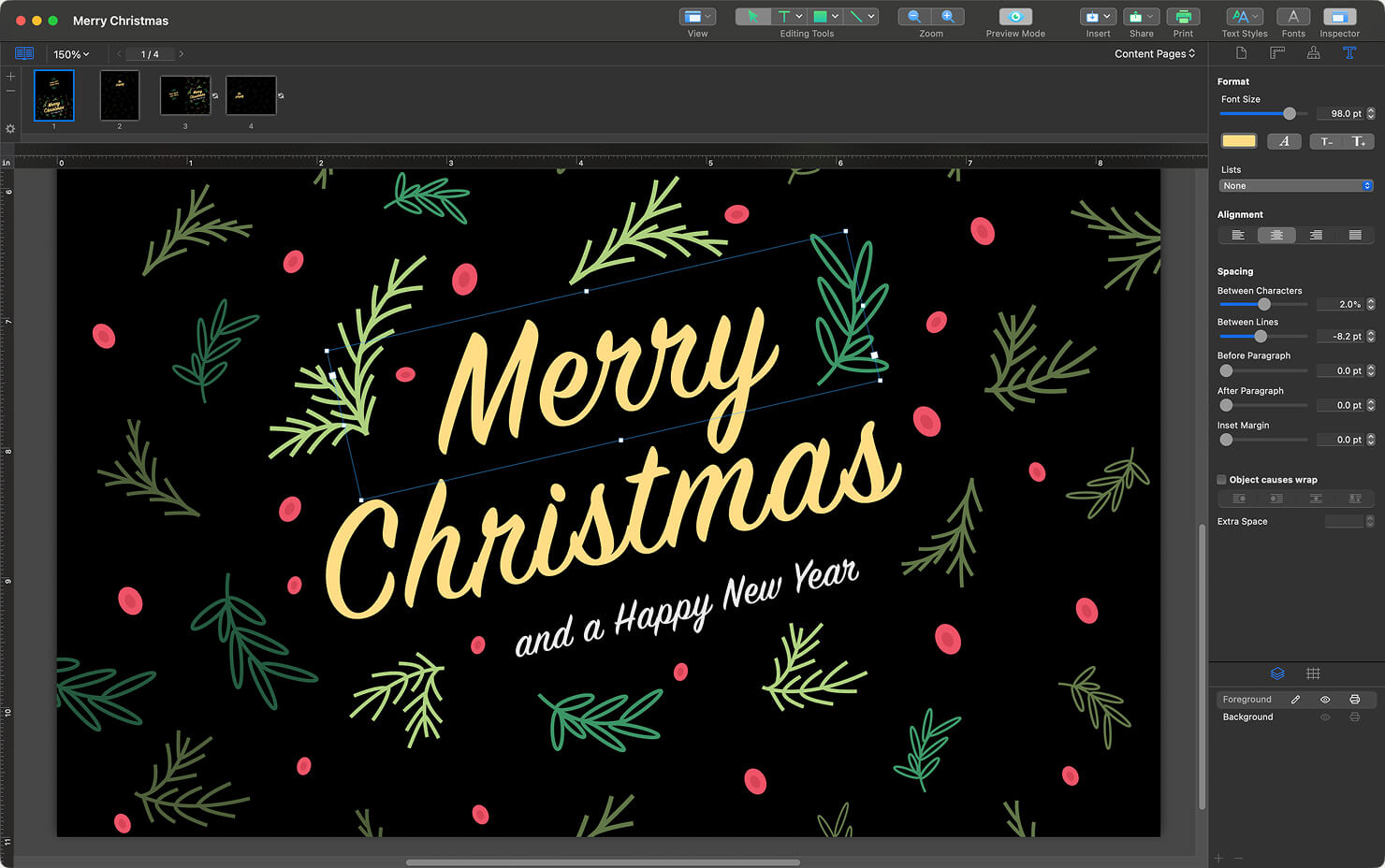
Swift Publisher is versatile desktop publishing software made specifically for Mac users. As a native macOS app, its performance and responsiveness on Apple Silicon chips means it runs super smoothly and never feels sluggish. The interface will also look familiar if you’ve used other Mac apps, so there is very little learning curve to simply open the app and start designing.
The program allows users to have control over their projects, with plenty of customization features, without being technically overwhelming, like some apps that were designed on other platforms. Users like that whether they want to create a birthday card for a friend, or a flyer to market their small business, the tools are all there and easy to find in Swift Publisher.
Hallmark Card Studio
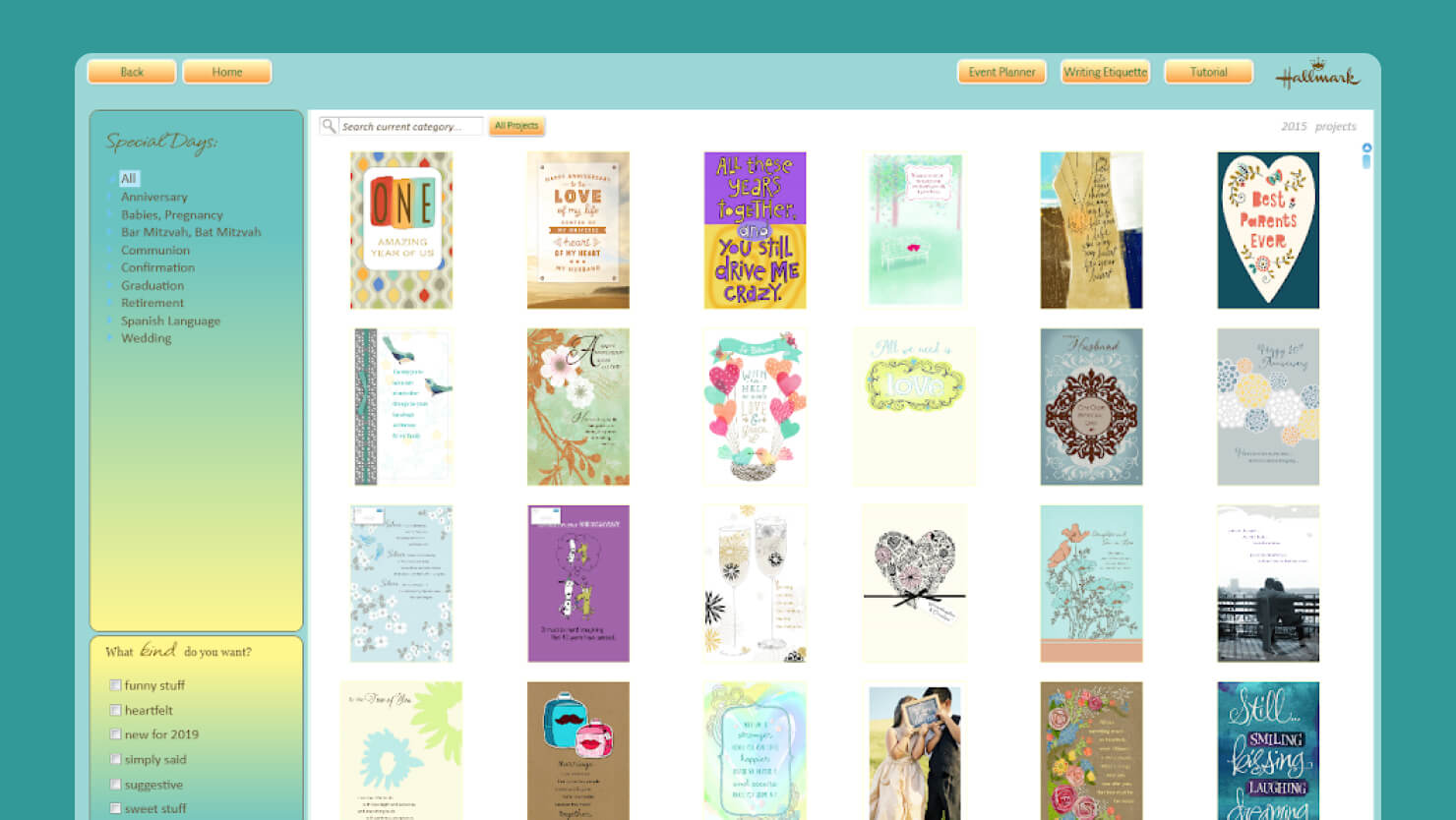
Hallmark Card Studio aims to help users create traditional greeting cards with its content library of 11,000 pre-written messages and thousands of cards for all occasions. Hallmark Card Studio also has templates for stationery, announcements and invitations. It stands out for making it easy for users to create cards, since it walks you through a step by step guide. It also makes writing text easy, so users never have to get stuck on what to say in a greeting card.
Key Feature Comparison
Beyond the brand names, it’s helpful to compare what features Swift Publisher and Hallmark Card Studio offer, so you can determine which is the right tool for you. This breakdown explains features that are important in creating different projects.
| Feature | Hallmark Card Studio | Swift Publisher | Why It Matters to You |
|---|---|---|---|
| Sentiments Library | 11,000 pre-written phrases (sorted by tone, recipient) for all different occasions. | No pre-written text for messaging. | Hallmark is helpful if you struggle with knowing what to write in a card, or need to save time when writing many different greetings. |
| Layout Editing | Limited by template (some key elements like text boxes or backgrounds are locked and unable to be moved or edited). | Full control of elements. Includes Layers, Master Pages, and Grids for more control and consistency. | Swift Publisher allows users to control pixels precisely, and even adjust how text wraps around images. Hallmark often locks down the design’s elements just to keep things simple. |
| Project Types | Cards, envelopes, scrapbook pages, calendars, certificates, photo projects. | Greeting cards, invitations, brochures, catalogs, flyers, business cards, newsletters, labels, letterheads, etc. | Swift Publisher is a tool that grows with your abilities. Use it for a hobby today, and with practice, create flyers, brochures or commercial print projects later. Hallmark is mostly limited to holidays and personal occasions, so it is more oriented to hobbyists only. |
| Print Preparation | Basic. Hallmark is optimized for home inkjet printers, and often uses RGB color. | Swift Publisher allows for both basic home printing and professional printing. Supports CMYK color model and bleeds settings. | Swift Publisher is ready for home or professional printers. Export your layout with the industry-standard CMYK color model and set up bleeds and cut marks to ensure edges are not cut off on large print runs. |
| Apple Integration | Weak / Non-existent. Hallmark uses its own file browser and photo tools. | Full integration with Apple Photos, Contacts and iTunes. | Swift Publisher works seamlessly with your Mac. Drag photos directly from your Photos app to use in projects. Use your Contacts database for addressing lots of envelopes with Mail Merge. |
Sentiments Library
If you have ever stood in the store reading Hallmark cards, thinking you wish you could write cards like that, Hallmark Card Studio has you covered. This tool includes thousands of ready-made phrases organized by tone, recipient, and occasion.
While it has card templates, Swift Publisher does not offer phrases for greeting cards. You’ll need to write your own text or find it elsewhere, like an AI tool or search engine. Hallmark really shines if you struggle with wording and just want the text done for you.
Layout Editing
Hallmark keeps things simple by limiting what can be edited in the templates. Key elements often can not be moved. This prevents mistakes, but it also limits creativity. Swift Publisher gives you control of layers, and offers master pages, and alignment grids. Every element can be moved to your precise whim, text can be adjusted and wrapped, and images can be made more or less transparent. The trade-off here is that Hallmark won’t let you mess up, while Swift Publisher trusts you to make your own creative decisions.
Project Types
Hallmark focuses on cards, envelopes, and basic paper crafts, like calendars or scrapbook pages. This makes it a great choice for holidays and special occasions. Swift Publisher handles all of that plus more. If you think you might appreciate the ability to also create brochures, catalogs, flyers, letterheads, catalogs or CD labels, Swift Publisher may be the best choice.
Print Preparation
Hallmark is optimized for home inkjet printers, which is all you need if you are printing a dozen holiday cards. Swift Publisher offers both basic and professional print options, including CMYK color mode and bleed settings. So if you want to print cards at home, or if you choose to send designs to a print shop to print 200 cards, both will come out perfectly.
Apple Integration
Hallmark uses its own file browser, so you can’t click a photo and drag it to the program. Users have noticed that sometimes uploading your own photos is not as smooth as it should be. As a native macOS app, Swift Publisher integrates directly with Apple Photos, Contacts, and all files on your Mac. Drag photos straight from iPhoto, and integrate addresses from your contacts app for personalizing addresses or names.
User Experience and Interface Comparison
The two programs have a completely different feel. If you are a user who prefers a more modern up-to-date UI, you will want to take note.
Hallmark Card Studio
According to users, Hallmark’s interface feels more “retro”. This is not necessarily a negative for everyone. This design choice can make the software seem approachable and simple. The fixed windows and straightforward navigation mean options are relatively easy to see and you probably won’t get lost in the menus.
However, this overly simple interface can also feel limiting to some users. For one, there is no support for modern Mac gestures like pinch-to-zoom or smooth scrolling. And windows in the program stay where they were designed to be, so this isn’t optimized for all screens.
If you’re accustomed to the way Mac apps look and work today, Hallmark will feel like opening an app in the 2000s. For example, windows have thick gray borders, and the text is often blurry on Retina displays. Menus and toolbars ignore macOS Dark Mode. For absolute beginners, the style of the interface might not be a problem. But for anyone more computer savvy, it can look outdated and feel restrictive.
Swift Publisher
Swift Publisher looks and acts like you expect a Mac app to feel today. It follows Apple’s design guidelines and responds to shortcuts and gestures. Overall, as an app built specifically for macOS, there are no disappointing surprises in the way it operates, and the UI is up to date.
The design workflow gives users the ability to layer text and graphics as you please. Begin with a Swift template, then go on a tangent and customize it to your liking. Or build something from scratch entirely. The interface truly lets you focus on creating anything you can dream up. Every feature, from selecting objects to importing clip art or photos feels natural for Mac users.
Price and Availability
Hallmark Card Studio is sold as a boxed version or a digital download through retailers online, like Amazon and Best Buy. The basic version is $39.99, while the deluxe version is $49.99.
Updates to Hallmark Card Studio are not free, and they come out at irregular times, for example once a year or less. Since updates are not coordinated with Apple, there is a risk that your version will stop working when Apple releases a new macOS. That may mean repurchasing the software, just to make it compatible with your machine. This has been a point of frustration for some users.
Swift Publisher is available through the Mac App Store or directly from the BeLight Software website. There is a one-time fee for a lifetime license. Updates are free as long as you are on the same major version. Swift Publisher also offers a free trial, so you can check it out before buying. If you have a Setapp subscription, Swift Publisher is included there, with other Mac apps.
What to Choose: Swift Publisher or Hallmark Card Studio?
While both apps offer powerful design tools, the best choice ultimately depends on your needs.
Hallmark Card Studio for Pre-Written Messages and Ease of Use
You value having loads of pre-written greetings, and you don’t care as much about having control over the font or letters. The content library is excellent for when you need the right words for a sympathy card, new job, or important birthday. And, if you just want the simplest process and aren’t put off by a more retro interface, this is a good choice. You can pick a card template, click to customize the name, and print.
Swift Publisher for Design Flexibility and Modern Mac Support
You want the freedom to move things around and create whatever you desire. If you want software that feels modern, performs perfectly and runs smoothly on your Mac’s current hardware, Swift Publisher is the clear choice. This tool offers full Mac support and won’t suddenly stop working after an OS update. The versatility is another plus, since it offers a wider variety of templates should you decide to use it for business printing too.
Frequently Asked Questions
What is the best alternative to Hallmark Card Studio for Mac?
Swift Publisher is the most popular alternative, with greeting card templates and professional design tools all in one Mac-native app.
Can I use Swift Publisher to make folded greeting cards?
Yes, Swift Publisher has templates for folded cards, and you can set up multiple pages for different card panels.
Does Hallmark software for Mac work on Apple Silicon processors?
It depends. Older versions may require Rosetta translation and run slower, while newer purchases should work but compatibility is not guaranteed.
Can I import my own photos into both these card software tools on a Mac?
Both programs let you add your own photos. Swift Publisher makes it easier by connecting directly to the Photos app, so you simply drag in the images you want to use.