Swift Publisher vs. Apple Pages
If you’re a Mac user who wants to create professional quality documents or layouts, you may be curious about the differences between Apple Pages and Swift Publisher, two of the most popular desktop publishing programs out there. Both Apple Pages (released January 2005) and Swift Publisher (released July 2005) are well-established software tools that have been trusted by users for over two decades. They each have distinct strong points, and use cases where one excels over the other.
In this article, we’ll give a thorough comparison between Apple pages and Swift Publisher, and help you figure out which is the right tool for your projects.
Word Processor vs. Dedicated Desktop Publishing Software
Let’s look into the distinct feature specifications of a more text-oriented software vs. a publishing one.

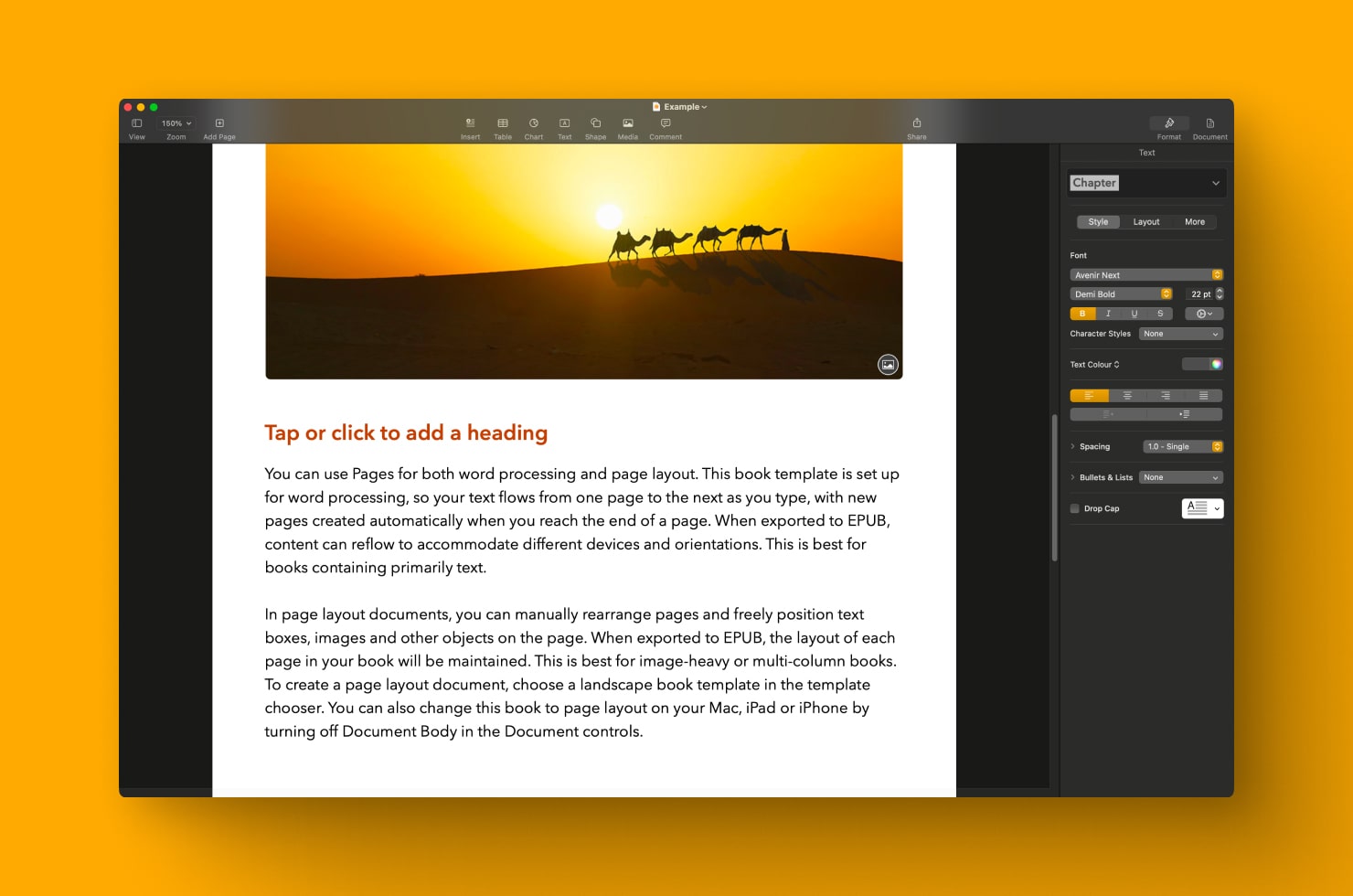
Apple Pages
Apple Pages is a free app that comes with every Mac, and while it was designed as a word processor, it also has layout capabilities. This is a solid app for creating everyday basic documents like newsletters, reports, resumes, or basic marketing materials. If you’re familiar with other text edit applications, then Pages will have a very familiar interface. It also has cloud integration, which makes it easy to access all your documents on any Apple device. This integration also allows users to start writing in the Notes app, then continue in Pages with formatting and designing to polish a document.
The app comes with plenty of templates to help users get started quickly designing documents. It handles basic text formatting and styles, so you can apply consistent heading and paragraph styles throughout the document. This also means headings and spacing look coordinated, and when you update a style once, it applies throughout the document.
If you want to whip up text documents quickly without any complicated features, Apple Pages will get the job done.
Swift Publisher
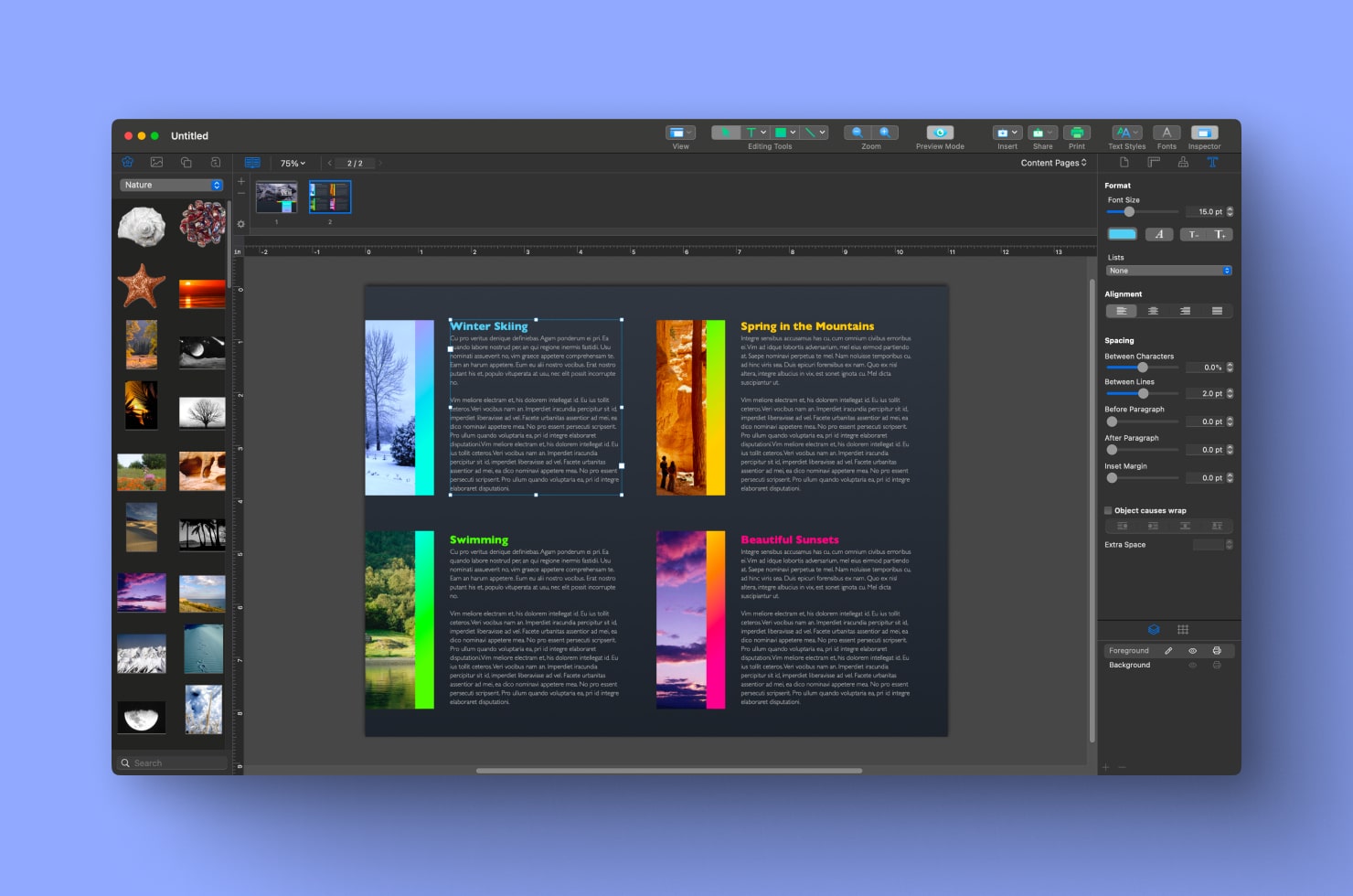
Swift Publisher is a true workhorse in the desktop publishing world. This application was designed to handle commercial printing, so aside from all the design capabilities, it offers support for CMYK color models, bleeds, and cut marks for professional printers. Swift Publisher has an extensive library of over 500 templates for users to create business materials like brochures, business cards, posters and catalogs, as well as personal materials like postcards, greeting cards and invitations.
Although Swift Publisher may have a steeper learning curve than Apple Pages, it is altogether a more powerful tool, so it is perfect when you need precise control over your layout. Swift Publisher fills a gap that a lot of designers and small business owners have always had in the document creation world: a publishing software with features to manage multi-page folded documents, like catalogs or booklets, with consistency. That means Swift Publisher is ideal for larger size publications where you want control over every detail.
Key Feature Comparison
Below we’ll compare the features of each application.
Layers
Apple Pages does not support layers, but it offers object grouping and options to arrange objects.
Swift Publisher also offers object grouping but has full support of layers, so users can place design elements on separate layers that can be locked, hidden or rearranged. This makes a workflow more efficient on projects that are complex or those that have lots of design elements.
Master Pages
Apple Pages lacks a master pages feature in the word processing mode, you can only use the master pages features in the Page Layout mode, for example, when creating a book. To get around this, users can copy and paste background elements across multiple pages to apply an element in a multi-page document.
Swift Publisher includes true master page capabilities, which means you can create templates with repeating elements like headers and footers, that will appear all through your document. For multi-page projects of any kind, this is a huge time saver.
Facing Pages
Both Swift Publisher and Apple Pages support facing pages, also known as two-page spreads. This is a useful feature when designing books, magazines, or any publication where you need to see how two pages will be viewed together.
Text Handling
Apple Pages is especially strong when it comes to text styling and typography. It offers plenty of options for formatting paragraphs, for applying character styles, and managing text flow. However, for things like vertical text, users would need to change the system language to Japanese, and Apple Pages does not support circular text.
One cool feature from Apple Pages is the ability to turn handwriting into text, from scribbles on an iPad with an Apple Pencil. This makes it easy if you prefer to jot down handwritten notes instead of typing.
Swift Publisher automatically allows for advanced text options, and supports both circular and vertical text without adjusting your system. This application also includes a unique Text to Curve feature, which transforms text directly into vector lines—a common requirement when submitting documents to a print shop for professional printing.
Guides and Grid
Apple Pages offers basic “smart” guides that users can turn on to help with alignment. When you want to place objects precisely, simply drag objects to the grid.
Swift Publisher takes alignment tools further with its advanced layout grid system and additional tools for precise positioning. For example, you can distribute objects, and equalize distances between the sides or centers of multiple objects. Overall, if you want more control over each exact element on a page, Swift Publisher offers that precision.
Bleeds and Cut Marks
Apple Pages was really designed for retail consumers to create documents, but not necessarily for commercial printing, so it does not offer features for bleeds and cut marks. If your printer requires these, you would have to set them up manually in Apple Pages.
Swift Publisher includes built-in features for both bleeds and cut marks, elements you’ll want for professional printing. These features mean designs print correctly without unwanted white borders or alignment issues. If you plan to send your document to a commercial printer, Swift Publisher is the clear choice.
Color Models: Editing & Export
Apple Pages supports both RGB and CMYK color models in the editor, but many exports convert to RGB regardless of your preference.
Swift Publisher provides excellent support for exporting your documents, and preserves the CMYK color model for objects when exporting to PDF. It allows users to explicitly choose CMYK for raster image exports too, which is needed in professional print production.
Image & Clip Art
Apple Pages does not come with clip art, nor does it have a built-in image or color editor. It does have a limited selection of basic black vector shapes. It might not be the best tool if you need to add or edit images frequently.
Swift Publisher features 2,000 clip art images and 100 image masks for various design projects. Beyond its built-in clip art library, the software supports photo imports, includes smart shapes, and provides a variety of heading text effects. Users can purchase Extras Pack, with over 40,000 high-quality illustrations and royalty-free photos. The built-in image editor, with filters and effects, lets users make all kinds of custom image and color adjustments without ever leaving the app.
Tables
If your project includes a lot of tables, Apple Pages is the way to go here. It offers advanced table capabilities, allowing you to customize the appearance with headers, footers, borders and colors. You can also do calculations and formulas within tables in this app, using LaTeX commands or MathML elements. For documents that are heavy in data and tables, Apple Pages is the best choice.
Swift Publisher provides basic table functionality that covers anything you need for a simple table, with customization of colors and cells, but it doesn’t match the depth of Apple Pages’ table features when it comes to working with formulas.
When to Swift Publisher vs. Apple Pages
If you have a difficult choice between the tools to use, let’s go together through the use cases for both options.
Choose Apple Pages
Apple Pages is a great choice when you’re working on simple text layouts, personal documents, or projects that you don’t plan to have professionally printed. The user-friendly software does not have a big learning curve, and is perfect for creating school reports, business letters, simple newsletters, or flyers, especially since the built-in templates give you an easy starting point. Since Pages is completely free and already installed on a Mac, it’s a natural choice for occasional design work or when you need something completely free.
The application works well for documents that will be shared as PDFs or printed on a personal printer. If you’re already comfortable with other Apple applications, you’ll like that Pages is easy to learn and use and integrates with other Apple tools. Students, teachers, nonprofits, and individuals who want software that handles primarily text projects without ongoing costs will find Pages ticks all the boxes.
Apple Pages is well-suited for:
- Simple text layouts of all kinds
- Documents with tables of calculations done by formulas
- Essays
- Academic papers
- Resumes and CVs
Choose Swift Publisher
Swift Publisher is a better choice for designers, small business owners, marketing professionals, or anyone who creates materials for professional printing. It can handle simple text documents easily too. The software is ideal for producing brochures, booklets, catalogs, postcards, or media that requires precise color matching and commercial printing specifications. If your projects involve CMYK color requirements, bleeds, or cut marks that a print shop requests, Swift Publisher handles these specifications automatically.
The application’s master pages and layer support are perfect for managing multi-page documents where consistency across pages is essential. Choose Swift Publisher when you need precise page layout tools beyond what a word processor offers, or when you’re looking for a true MS Publisher alternative on Mac. If you are a creator who designs marketing materials or publications where layout precision and print specifications matter, Swift Publisher is the best choice.
Swift Publisher is the top choice for:
- Multi-page magazines
- Event program flyers
- Pamphlets or brochures of different folds
- Print advertisements
- Product catalogs
- Restaurant menus
- Business cards
Frequently Asked Questions
Is Apple Pages considered Desktop Publishing software?
Apple Pages is primarily a word processor with layout capabilities, but not exactly a desktop publishing software. Apple Pages can handle basic design projects and simple layouts for a wide spectrum of users. It also has collaboration capabilities so multiple users can work on the same document.
Does Apple Pages support professional CMYK printing?
While Apple Pages can work with CMYK colors in the editor, the export options are limited. It often converts files to RGB, so it’s not as suitable for professional CMYK printing requirements.
Which app is easier to learn for a beginner: Swift Publisher or Pages?
Apple Pages is easier for beginners thanks to its simple word processing interface and familiar Apple design. While Swift Publisher has a steeper learning curve, it also has more advanced desktop publishing features.
Most users find Swift Publisher easy to get comfortable with. Though it may require checking out some tutorials to get up to speed, users say it is easy to get started.
Is Swift Publisher a subscription, or a one-time purchase?
Swift Publisher is available as a one-time purchase and offers Non-Profit and educational licenses. If you’re a qualifying student, staff member of an educational institution or a non-profit organization, a 30% discount applies.
Conclusion
Basically, Apple Pages and Swift Publisher serve very different needs on macOS: Pages is the free, all in one document design solution that works well for everyday documents, simple newsletters, reports, and digitally shared materials. Swift Publisher is the full capability desktop publishing software, and can handle professional printing of materials.
Swift Publisher stands out as the dedicated desktop publishing tool built for professional print production, offering essential features like true layers, master pages, CMYK-preserving exports, bleeds, and cut marks that Pages simply can’t match. If your work stays casual, occasional, or screen-focused, stick with the excellent (and cost-free) Apple Pages you already own.
But if you regularly design brochures, business cards, catalogs, or any marketing collateral headed to a commercial printer, Swift Publisher’s one-time purchase gives you precision, consistency, and print-ready reliability that justify its price. It’s the best Mac alternative to Microsoft Publisher for serious layout projects. Choose based on how professional and print-oriented your project truly needs to be, and you’ll end up with the right tool for years to come.