How to Make a Christmas Gift List
During a busy holiday season, creating a Christmas list might seem like an extra or unnecessary step. But actually taking the time to organize your ideas before you shop for gifts can help you get ahead and avoid holiday stress. Whether you are planning what to ask for yourself from your own family members, or tracking gifts you need to buy for others, a shopping list keeps everything in one place. You can check items off as you buy them. Making a list is the best way to avoid forgetting anyone important, and will help you stay within your spending limits. Having a list for your own shopping means you can browse websites and shops without losing track of ideas or being tempted to buy too much.
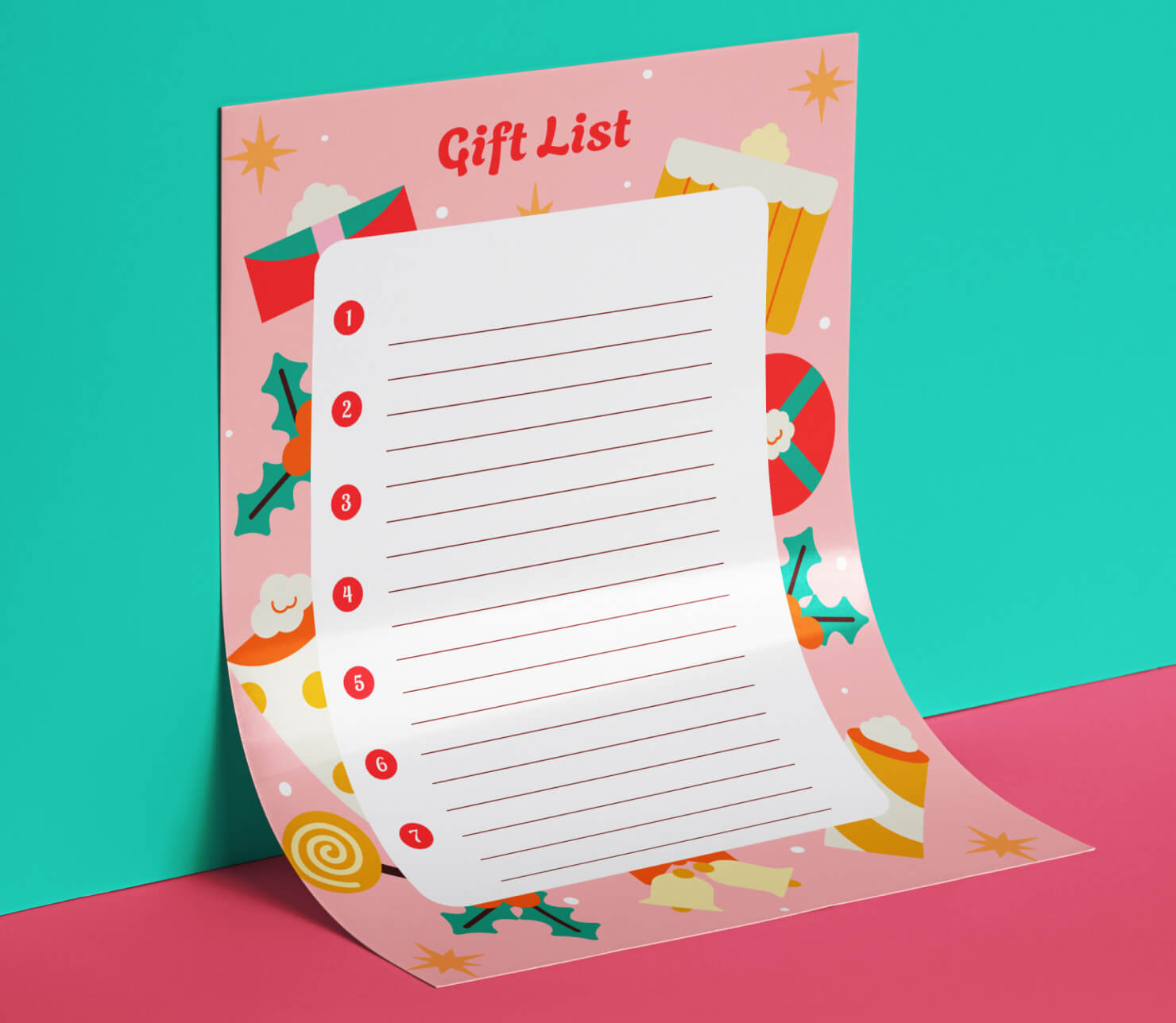
Organizing Your Holiday Needs and Wishes
Holiday gift planning starts with being organized before you ever step into the shops. A plan will keep you from overspending, forgetting people you meant to buy for, and from being in the shops during a last minute frenzy. An organized Christmas list gives you a clear plan for buying during a busy and crowded shopping season.
To design your list, start by writing down everyone who will receive a gift from you this year. You should of course include immediate family, but also think about other relatives, neighbors, close friends, teachers, co-workers and anyone else you want to surprise with a bit of holiday cheer. Listing the recipients means you will not forget anyone after you have finished shopping.
Next, you may want to consider what you want for Christmas. Your list does not need to only include material or expensive items. You might include experiences, handmade things, photographs or subscriptions to things you use. A personal list simply gives people who want to buy you gifts some direction instead of making them guess. This makes holiday shopping easier for them, too.
Categorizing Your Gift Recipients
To get organized, first create categories of recipients. It makes the whole shopping process more manageable. You might group people by relationship (family, friends, relatives, coworkers), or by household, to plan family gifts together. Gift recipients could also be grouped by location or ecommerce shopping site, if certain people prefer specific shops or brands. For example, if you know four people on your list will be receiving crafting gifts, you can group those by the craft store where you plan to shop.
Add notes about interests or hobbies of each person. These details help when you spot something perfect but cannot quite remember who it was for. Having notes helps you avoid being overwhelmed when you have a long list of people to shop for.
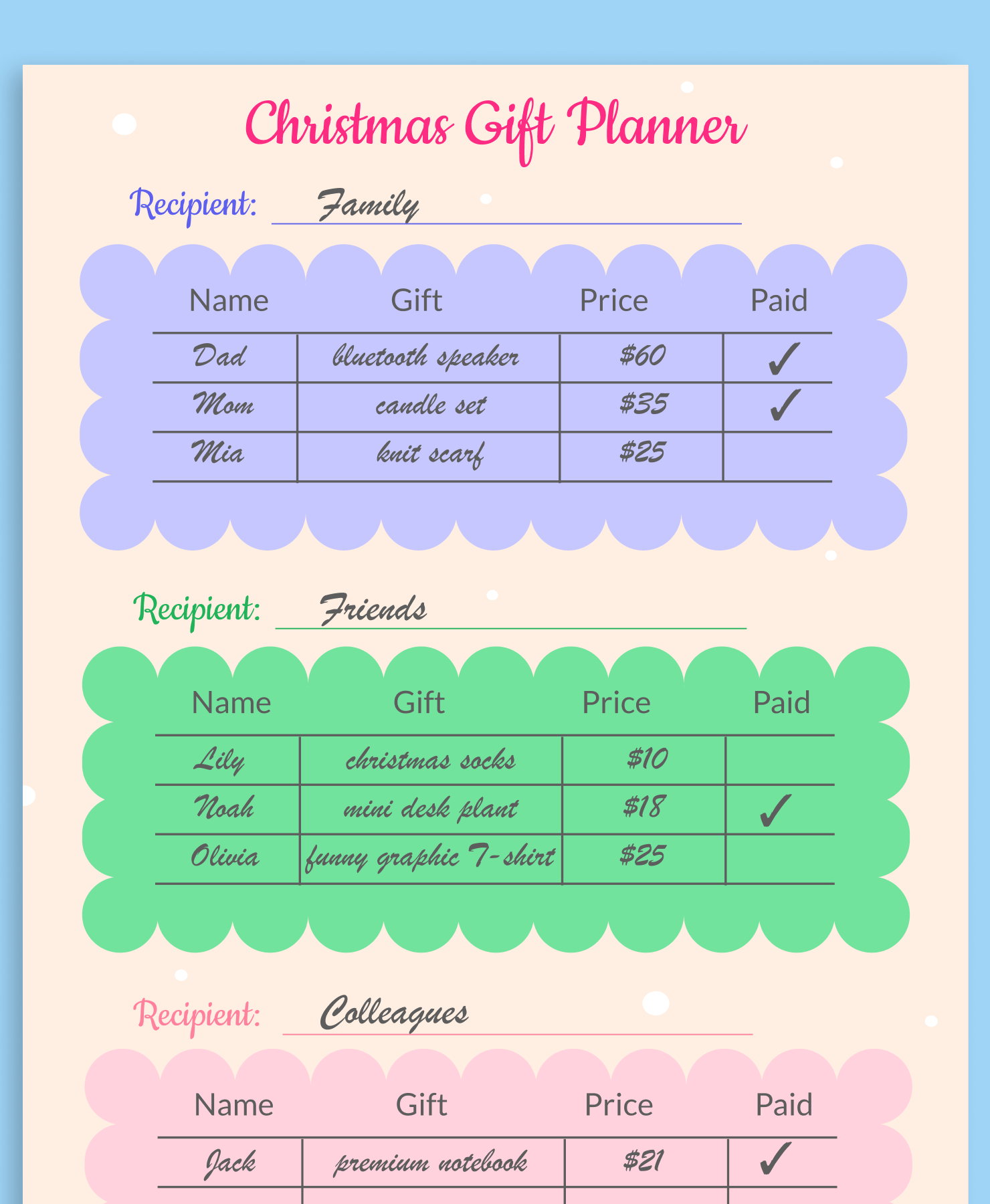
Setting a Budget for Every Gift
Without a budget, it is too easy to overspend during Christmas. Glittering gift displays and appealing gift sets packaged together are meant to tempt shoppers, and they work! Purchases add up quickly, and you might not realize you have overspent until your bank account is in trouble.
To keep Christmas and gift buying from becoming a burden, set a budget for your overall spending, then divide that in an appropriate way for each person. Recipients do not need to receive gifts of equal value. It is normal to budget more for family members and less for acquaintances. Note your spending limit by each name on your list. If you find the perfect gift that costs more than you planned, you can immediately figure out whether you can adjust other gift amounts to make it work, or keep looking for something within the budget.
A tip from pro shoppers: track what you actually spend as you buy gifts. Your list should have a column for the real price so you ensure you stay on target. A running total will help you avoid a shock when you check your bank account after the holidays.
Holiday gift buying and giving should be fun and joyful. By sticking to a budget, you ensure that there is no spending guilt after Christmas.
Why a Paper List Keeps You More Organized
Digital lists can be great but for Christmas gift buying, a physical paper list has advantages. A printed list kept in your wallet or handbag is always at your fingertips. There is no need to worry about Wi-Fi availability or keeping a phone charged in order to buy gifts on the go. A paper list is practical since you do not have to fumble with a phone or an app when in a shop.
A paper list also gives a certain amount of satisfaction as you physically check off items as you complete shopping. This creates a sense of progress that motivates you to continue and complete the list. And checking off your list allows you to see who is left to buy for in one glance, without scrolling through another screen.
Plus, a paper list can be part of the holiday fun. You can design something that is personal and adds to your own pleasure each time you look at it. A useful Christmas list becomes not only a tool but a memory to recall the season.
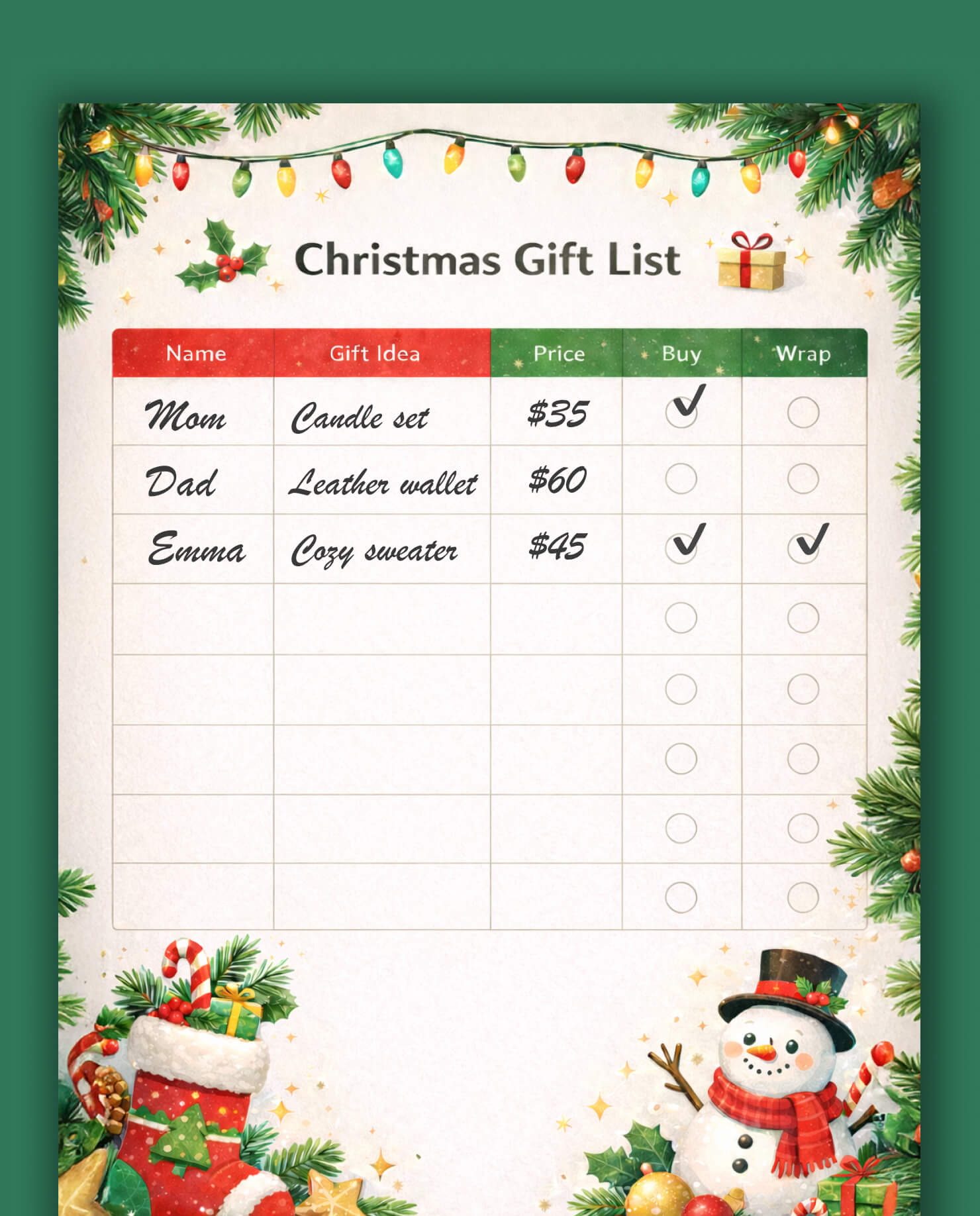
Creative Things to Put On Your Christmas List
Has your mind ever blanked when someone asks you what is on your Christmas list? Or have you lost all creativity when it is time to start shopping for friends and family members? Keeping a running list of your Christmas wish list ideas through the year can help. You can also think strategically about what to add to your list when the season comes around.
If you have not been keeping a gift list this year, we have a few helpful ideas to kick off your gift brainstorming.
Your Own Wishlist
Practical items like a new kitchen gadget or hand towels for the guest bathroom, can be perfect things to add to your wish list. These are things you may not think of last-minute, so adding them to your running list throughout the year is smart. People like to give gifts they know will actually be used. So do not feel shy to ask for socks or a nice scented soap. Gift givers love knowing their gift will be used.
Other things to keep on your list for yourself or others are anything to do with hobbies or interests that you or a recipient might like to pursue. Maybe you have been wanting a subscription to a font library if you are a graphic designer. If you like to build things, a kit to build a small clock or a home radio would be a fun gift. Hobby-related things make excellent presents because they are things someone may not always buy for themselves, but they would be used and enjoyed.
Another category to remember for your own Christmas list is consumable goods. Specialty coffee, tea, fancy cookies, art supplies: these are all things that get used up so they will not crowd a home with clutter. People also love receiving these kinds of gifts because they are a nice small luxury that does not take up space long term.
How to Design Your Own Christmas List in Swift Publisher
Now for the fun part: if you want to design a shopping guide that perfectly fits your needs, Swift Publisher fits the bill. Swift Publisher has the tools to create an organized, professional-style list without needing advanced design skills. You can control every aspect of the layout and add personal touches like colors, backgrounds or fonts. You can also print as many copies as you want anytime.
Creating a list in Swift Publisher involves three simple steps:
- Setting up your document size and structure. Create a table or lines to write a list of recipients and create columns for names, budget and check marks or notes.
- Adding visual elements and text.
- Exporting and printing your Christmas gift list.
It’s that simple. You can make it as elaborate or as plain as you want. Once you create a template that works for you, it can become your list for every Christmas, with updates to recipient names and items. This saves time and stress, knowing you have a ready-to-go list each year.
Choosing the Right Layout and Canvas Size
Start by opening Swift Publisher and creating a new document. For a Christmas list, standard letter size (8.5″×11″) can work because it prints easily on most home printers. For a more portable list, you might consider a Half-Letter size (5.5″×8.5″). This is a more convenient size to fold and keep in a bag or pocket.
You can use portrait orientation for a traditional list format or landscape if you want wider columns and if there are not a lot of people on your list.
Consider the layout before adding content. Do you need one column of items or multiple columns? Do you want space for recipient names, gift ideas, prices, and checkboxes? Sketch out a rough plan so you know what columns and categories you need to include.
Set margins for the page that leave enough white space around the edges. This makes your list easier to read and ensures nothing important gets cut off when you print. Margins of about half an inch on all sides are usually a good guide.
Using Layers for Backgrounds and Text
Layers might sound advanced, but they are quite easy to create in Swift Publisher. Layers help you organize the different elements of your design. Each layer can hold different parts of a design, and they can be rearranged, hidden, or edited independently.
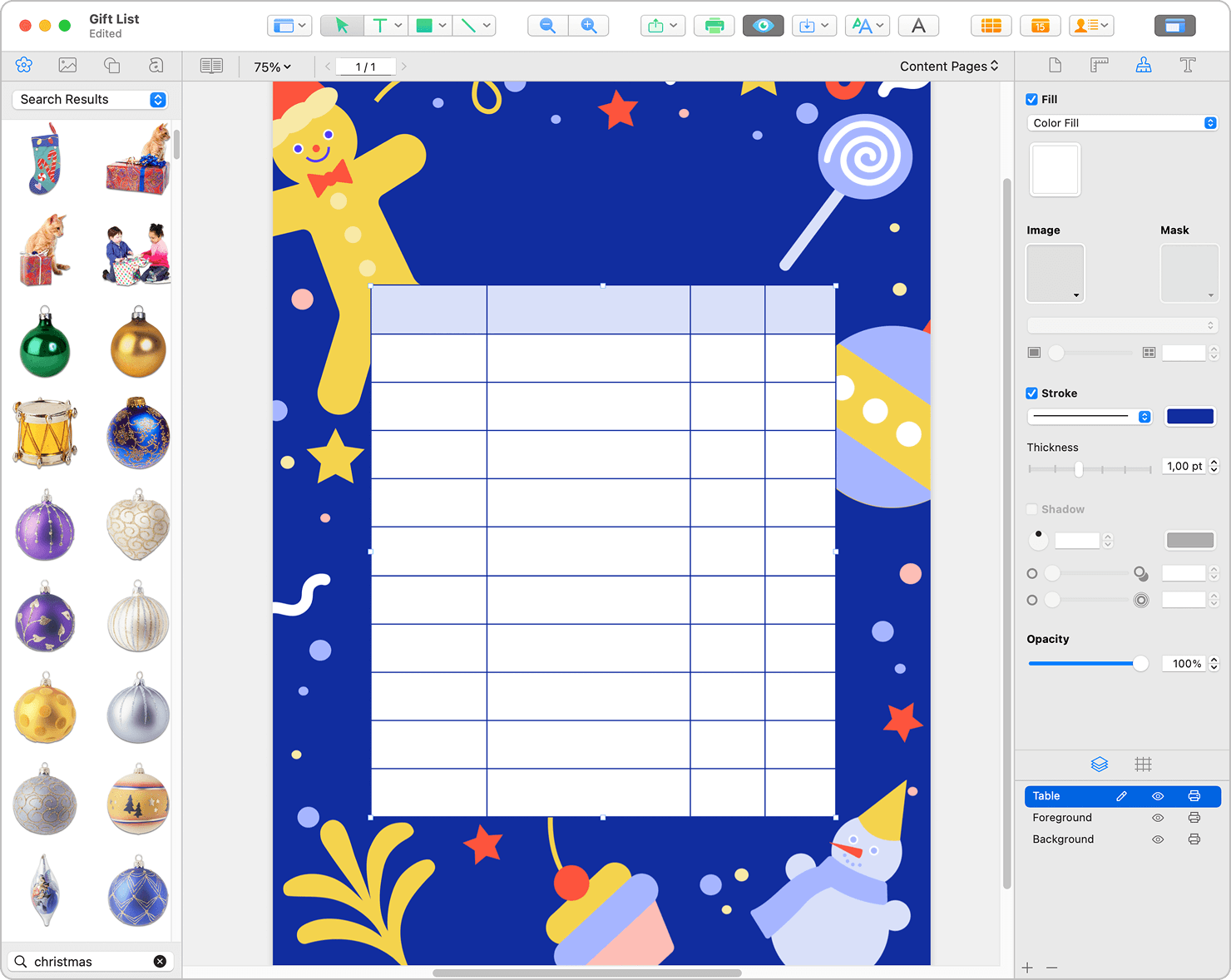
If you want to try out layers for your Christmas list, here is a quick guide:
- Start with a background layer. You could use a holiday color or pattern if you want a background. Keep it subtle so it does not distract too much from your text. If you use a solid color, choose something light enough that handwritten notes will show up clearly on a printed copy.
- A foreground layer might include borders, small holiday graphics, or designs in the page corners. Keep decorations simple and leave plenty of open space for text.
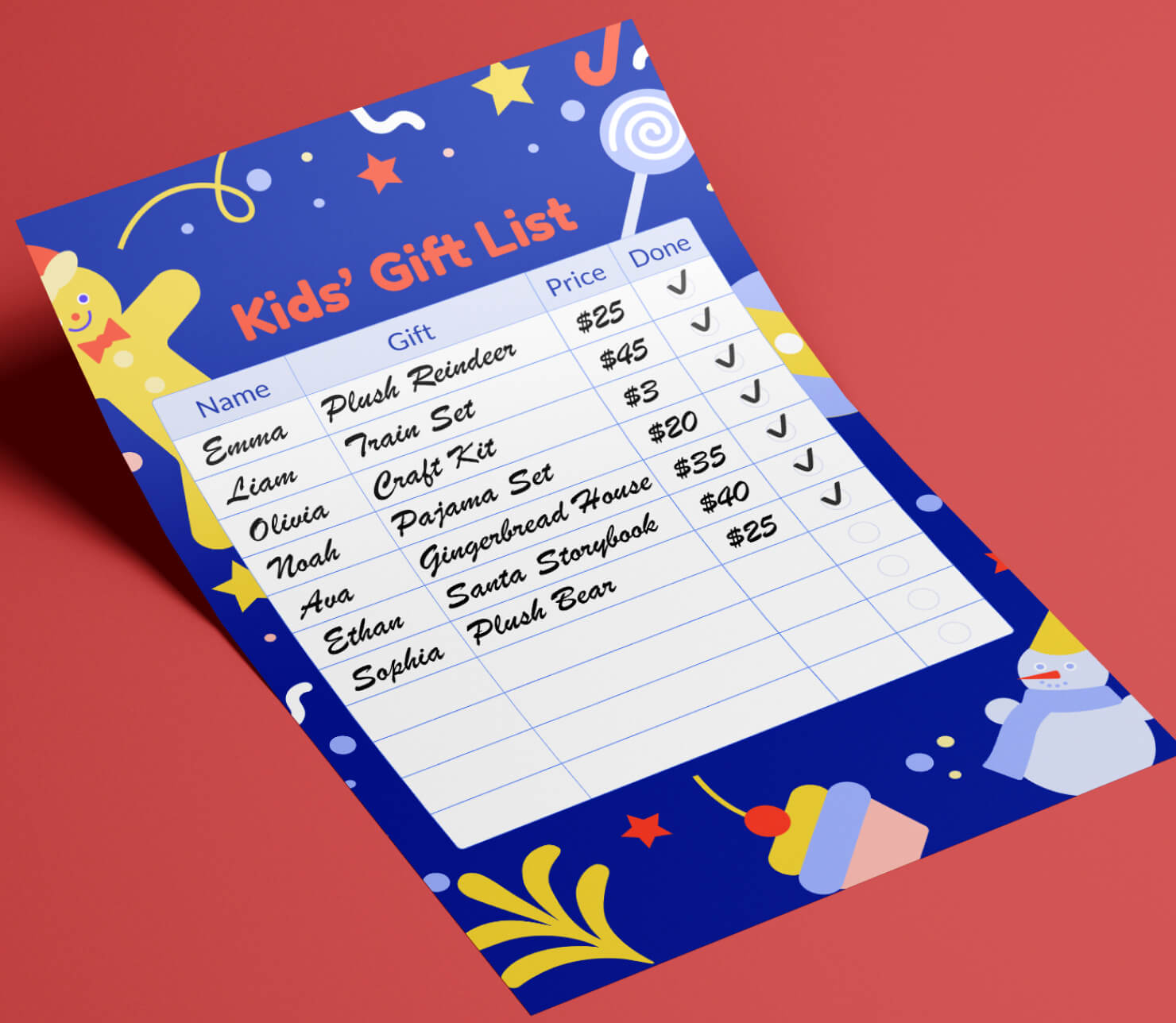
- Swift Publisher already includes background and foreground layers by default. For better organization, it’s helpful to add an extra layer for your actual list, place it above decorative elements, and give it a clear name so it’s easy to edit later. Creating this list can be as simple as making a table of two or three (or more) columns. It’s easy to add a table in Swift Publisher. You can customize the columns, but a basic structure for column headings might be:
- Name
- Notes on personal preferences and hobbies
- Budget
- Item purchased
- Done (to add a checkmark)
Adding text boxes in Swift Publisher offers great flexibility when working with text in your gift list. Text boxes make it easy to set the text size and arrange text blocks on a page, as well as create text that flows from one column to another. The text flow capability is especially useful when working with multi-page documents.
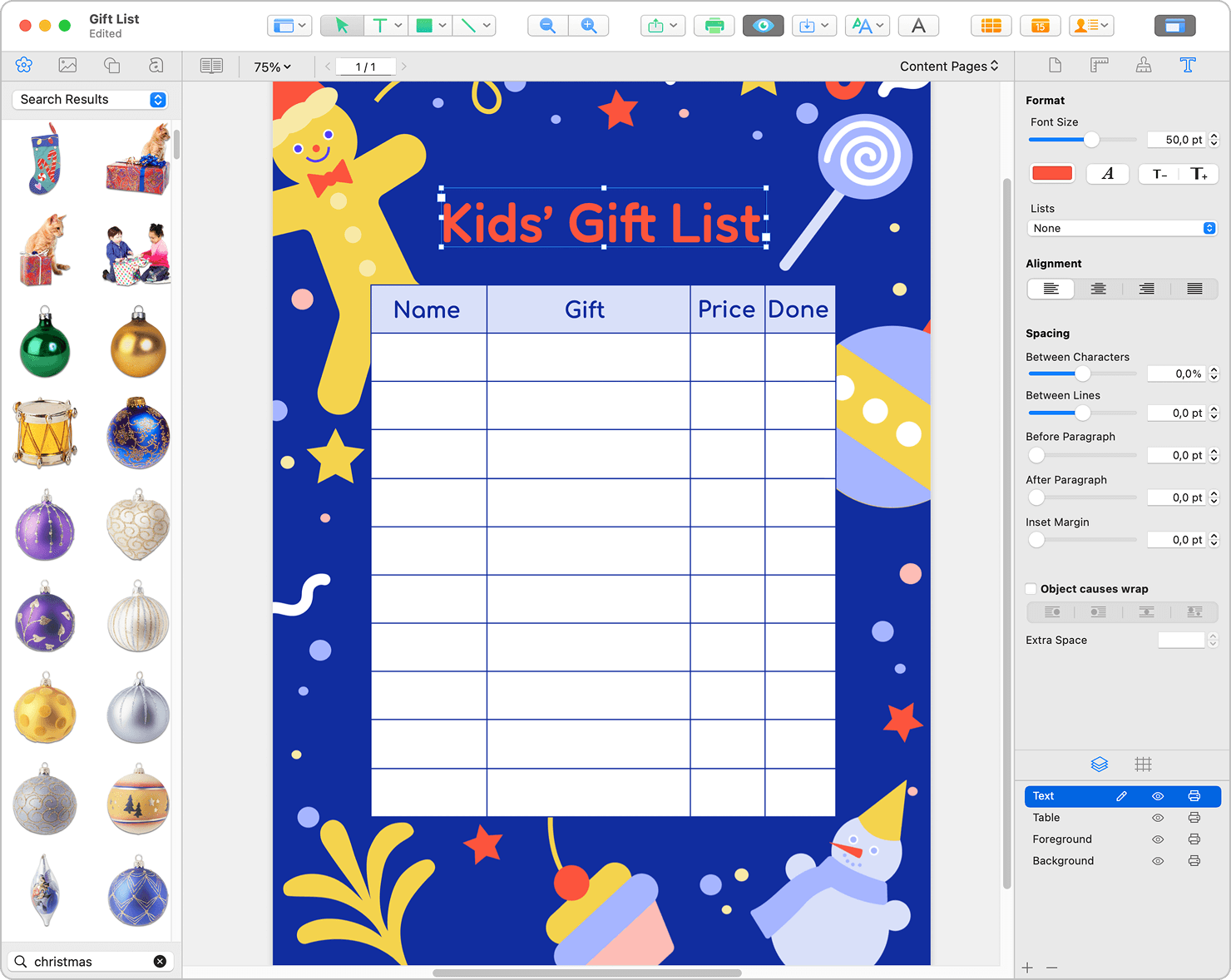
For the text, choose fonts that are easy to read. Simple sans-serif fonts work well for column headings and names. while a more interesting font could be used for the main title. Check our helpful tips on working with text in Swift Publisher.
Make sure the text colors provide a contrast against the background. Black or dark text on a light background is the most readable choice. If you use colored text, make sure it prints clearly and does not blend into the background.
Layers are especially helpful if you plan to reuse the same list each year. To update the list for another year, simply delete the layer with the table, and add a new one with updated names and notes.
Another useful approach is to keep the table structure and the text on separate layers. Place the blank table grid on one layer, and all names, ideas, and budget notes on another. This way, you can easily hide or remove the text layer when the season is over, leaving the clean table ready to be reused next year. It helps maintain consistency in your layout and saves time on recreating the design from scratch.
Exporting Your Custom List as a PDF
Once your design is created, export it in a format to print and share. PDF works best because it preserves the design exactly as you created it. PDF also prints reliably on any printer, and it can be saved to view on all devices.
Go to the export or save options in Swift Publisher and choose PDF as your format. Check the export settings to make sure quality is high enough for clear printing.
Here is a quick guide:
- Select the File > Export… in the menu.
- Type in a file name and choose where to save your file.
- Choose PDF in the Format drop-down list. The difference between file formats is described below.
- Click Options… to tweak additional settings.
- Click Save.
Save the PDF with a clear name like “Christmas-List-2026” or “Christmas Gift Tracker 2026.” Then store it in a dedicated holiday planning folder or on the desktop.
Print a test copy before making multiple prints. Check that the text is readable and that you have enough space to write your actual list items if you are hand writing on the list.
It is a good idea to print a couple of copies of the Christmas shopping list. One can be for your own shopping and another might be for your personal wish list. When other family members see how organized you are for the holidays, they will probably request their own list, so you can share your design for others to use. You might also share the PDF digitally so family members can see your personal wish list or collaborate on gift planning.
If this has inspired you to get organized for the holidays, then there is no better time to get started. Create your personalized printable Christmas list in Swift Publisher now, and take the stress out of gift planning this season!